
Filmora 13: Best Effects and How to Use Them

Filmora 13: Best Effects and How to Use Them

Introduction Final Cut Pro X’s magnetic timeline revolutionized video editing when Apple introduced it, replacing traditional track-based editing with a dynamic, gap-free approach. While initially controversial among traditional editors, the magnetic timeline offers unique advantages enabling faster editing and preventing common mistakes. However, mastering this distinctive system requires understanding its mechanics and learning techniques specific […]

Read More
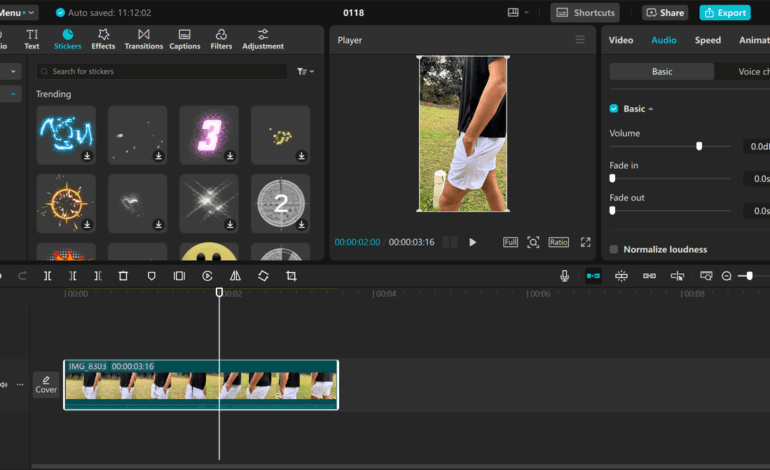

 CapCut Desktop: Hidden Features You Didn’t Know About

CapCut Desktop: Hidden Features You Didn’t Know About

Introduction CapCut Desktop has evolved from simple mobile editing app to surprisingly capable desktop application rivaling established editing software. While many users stick to basic features, CapCut contains numerous hidden capabilities that dramatically expand creative possibilities. These lesser-known features enable professional-quality results without complex learning curves or expensive software investments. This guide reveals CapCut’s hidden […]

Read More
 DaVinci Resolve: Free vs Studio Version Comparison

DaVinci Resolve: Free vs Studio Version Comparison

Introduction DaVinci Resolve offers both free and paid Studio versions, creating confusion about which version professionals need versus hobbyists. The free version provides remarkably comprehensive capabilities matching or exceeding many paid editing applications. However, Studio version adds professional features essential for high-end production workflows. Understanding specific differences enables informed decisions about whether Studio’s one-time purchase […]

Read More

Final Cut Pro X: Magnetic Timeline Tips and Tricks

Introduction Final Cut Pro X’s magnetic timeline revolutionized video editing when Apple introduced it, replacing traditional track-based editing with a dynamic, gap-free approach. While initially controversial among traditional editors, the magnetic timeline offers unique advantages enabling faster editing and preventing common mistakes. However, mastering this distinctive system requires understanding its mechanics and learning techniques specific […]

Read More

Adobe Premiere Pro: Complete Workspace Setup Guide

Introduction Adobe Premiere Pro’s workspace is the foundation of efficient editing workflows, yet many editors never optimize their interface beyond default settings. A properly configured workspace accelerates editing, reduces repetitive actions, and creates comfortable working environments suited to individual preferences and project types. Professional editors customize workspaces extensively, developing personalized layouts that maximize productivity. This […]

Read More

Mastering the Art of J-Cuts and L-Cuts

Introduction J-cuts and L-cuts are sophisticated editing techniques that create seamless transitions by splitting audio and video at different points. These fundamental professional editing methods smooth pacing, maintain viewer engagement, and create invisible edits that feel natural. Named for their appearance in editing timelines, J-cuts and L-cuts appear throughout professional film, television, and digital content. […]

Read More

Creating Cinematic Transitions Without Plugins

Introduction Cinematic transitions elevate video production quality through creative scene changes that maintain flow while adding visual interest. While countless transition plugins exist, understanding how to create sophisticated transitions using only built-in editing tools demonstrates true craftsmanship and provides unlimited creative control. These techniques work across all editing software without requiring expensive third-party purchases. Mastering […]

Read More

How to Edit in Log Format for Maximum Flexibility

Introduction Log format recording captures maximum dynamic range and color information, providing unprecedented flexibility in post-production color correction and grading. Modern mirrorless and cinema cameras offer various Log profiles including Sony S-Log, Canon C-Log, Panasonic V-Log, and others. While Log footage appears flat and desaturated straight from camera, proper handling unlocks extraordinary image quality impossible […]

Read More

How to Use Adjustment Layers to Speed Up Your Workflow

Introduction Adjustment layers are powerful editing tools that apply effects and color corrections to multiple clips simultaneously rather than individually. This non-destructive approach dramatically accelerates workflow while providing flexibility for experimentation and revision. Professional editors rely heavily on adjustment layers for efficient color grading, effects application, and project-wide modifications. Understanding adjustment layer capabilities and best […]

Read More

Advanced Keyframing Techniques for Smooth Animations

Introduction Keyframing is the fundamental technique underlying all motion graphics and animation in video editing. While basic keyframing creates functional movement, advanced keyframing techniques produce smooth, natural, professional-quality animations that elevate content significantly. Understanding velocity control, bezier curves, graph editors, and sophisticated timing principles transforms simple position changes into compelling motion that engages viewers. This […]

Read More