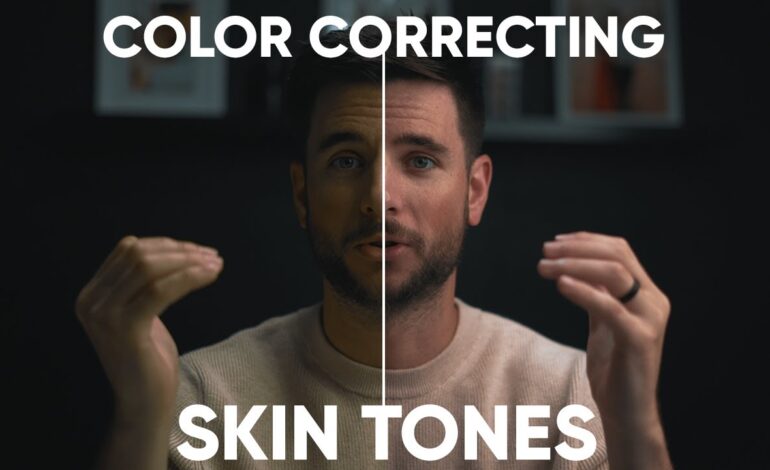
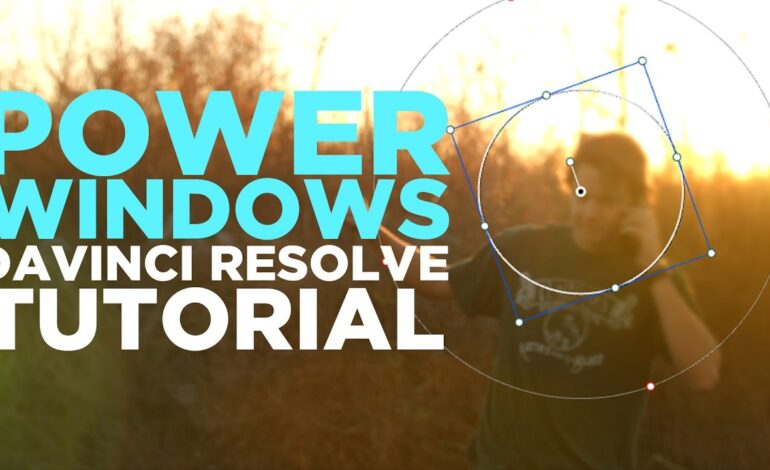
Color grading has evolved into one of the most powerful storytelling tools in modern video production. Whether you create cinematic short films, YouTube content, commercials, travel videos, or social media reels, having your own custom LUTs can dramatically improve consistency and visual identity.
In 2026, creators are moving away from generic presets and building personalized color profiles that match their unique style. Custom LUTs not only speed up editing workflows but also help establish recognizable branding across every project.
This guide explains how to create professional-quality LUTs from scratch, avoid common mistakes, and optimize your grading process for modern editing software.
What Is a LUT and Why Does It Matter?
A LUT, short for “Look-Up Table,” is a file that transforms the colors and tones of your footage. Think of it as a blueprint for color adjustments. It can modify contrast, saturation, shadows, highlights, and overall mood instantly.
Professional editors use LUTs for several reasons:
- Faster editing workflows
- Consistent visual aesthetics
- Cinematic storytelling
- Brand identity across content
- Efficient collaboration between editors
Instead of grading every clip manually, creators can apply a custom LUT and instantly achieve a polished foundation.
Start With Properly Corrected Footage
Before creating any LUT, your footage must first be color corrected. Many beginners skip this step and end up with inaccurate or unusable LUTs.
Focus on these adjustments first:
Balance Exposure
Ensure highlights are not blown out and shadows retain detail. Balanced exposure creates a stable base for grading.
Correct White Balance
Fix unnatural color temperatures before adding creative styles. Skin tones should look realistic before cinematic effects are introduced.
Normalize Flat Footage
If you shoot in LOG formats such as S-Log, C-Log, or V-Log, convert the footage to Rec.709 before creating artistic grades.
Without proper correction, your LUT may look inconsistent across different clips and cameras.
Build a Signature Color Style
A strong LUT should reflect a specific mood or visual identity. Instead of randomly adjusting sliders, define your creative direction first.
Ask yourself:
- Do you want warm cinematic tones?
- Should the image feel dark and moody?
- Are vibrant travel colors your goal?
- Is the style inspired by vintage film stock?
- Will it suit YouTube, TikTok, or commercial projects?
Professional colorists often limit themselves to a focused palette. Consistency creates stronger visual branding.
Adjust Contrast With Precision
Contrast is one of the biggest factors affecting cinematic quality. Strong LUTs usually rely on carefully balanced contrast curves.
Enhance Depth
Lift shadows slightly while controlling highlights. This prevents crushed blacks and preserves image detail.
Use Soft Roll-Offs
Harsh contrast often looks artificial. Smooth highlight transitions create a more filmic appearance.
Avoid Overprocessing
Extreme contrast can make footage difficult to reuse under different lighting conditions.
The goal is flexibility combined with style.
Refine Colors Selectively
Professional LUT creation depends heavily on selective color adjustments rather than global saturation boosts.
Improve Skin Tones
Healthy skin tones should remain natural even after heavy grading. Orange or oversaturated faces immediately reduce professional quality.
Control Greens and Blues
Outdoor footage often benefits from slightly muted greens and richer blues. This creates cleaner separation and cinematic balance.
Create Color Separation
Introduce subtle warm highlights and cooler shadows for a modern cinematic look.
Small adjustments usually outperform dramatic changes.
Use Curves Instead of Basic Sliders
Many editors rely too heavily on saturation and contrast sliders. Advanced creators use RGB curves and hue curves for better control.
Curves allow you to:
- Shape tonal depth
- Refine individual color channels
- Add subtle film fades
- Create smoother transitions
- Build premium cinematic looks
Learning curve manipulation is one of the biggest upgrades for developing professional LUTs.
Test Your LUT on Multiple Clips
A common mistake is designing a LUT using only one shot. A strong LUT should perform consistently across various scenes.
Test it on:
- Indoor footage
- Outdoor daylight scenes
- Low-light clips
- Different skin tones
- Multiple camera angles
If the LUT breaks under changing conditions, refine the grade until it becomes adaptable.
Professional LUTs prioritize versatility.
Export the LUT Properly
Once satisfied with your grade, export the LUT from your editing software.
Most programs support LUT export formats such as:
- .cube
- .3dl
- .look
Popular editing platforms include:
- Adobe Premiere Pro
- DaVinci Resolve
- Final Cut Pro
- Adobe After Effects
The .cube format remains the industry standard because it works across most applications and cameras.
Organize Your LUT Library
As your collection grows, proper organization becomes essential.
Create folders based on:
- Cinematic styles
- Camera brands
- Lighting conditions
- Social media formats
- Commercial projects
Naming conventions also matter. Instead of generic titles like “LUT1,” use descriptive labels such as:
- Warm Sunset Cinema
- Moody Urban Contrast
- Soft Documentary Film
- Clean Commercial Tone
Efficient organization improves workflow speed dramatically.
Avoid These Common LUT Mistakes
Over-Saturating Colors
Excessive vibrancy often looks amateurish and reduces image realism.
Crushing Blacks
Deep shadows may look cinematic initially but remove important detail.
Ignoring Skin Accuracy
Poor skin tones instantly reveal weak grading.
Applying One LUT Everywhere
Different projects require different visual approaches. Adaptation matters more than convenience.
Using LUTs as a Shortcut
LUTs should enhance creativity, not replace proper color grading skills.
Why Custom LUTs Improve Your Brand Identity
Content creators in 2026 compete heavily for attention. A recognizable visual style can help audiences instantly identify your work.
Custom LUTs create:
- Visual consistency
- Professional presentation
- Stronger audience retention
- Better brand recognition
- Faster production timelines
Many successful filmmakers and creators are recognized partly because of their color aesthetic.
Your grading style becomes part of your signature.
Final Thoughts
Creating your own custom LUTs is one of the smartest upgrades for modern video production. Instead of relying on generic presets, personalized grading allows you to develop a distinct visual identity while improving workflow efficiency.
The best LUTs are subtle, adaptable, and emotionally intentional. Focus on balanced corrections, controlled contrast, natural skin tones, and consistent testing across multiple scenes.
As video content becomes increasingly competitive in 2026, creators who master cinematic color grading will stand out faster across platforms like YouTube, TikTok, Instagram, and commercial media.
A carefully crafted LUT does more than change colors — it transforms the entire viewing experience.