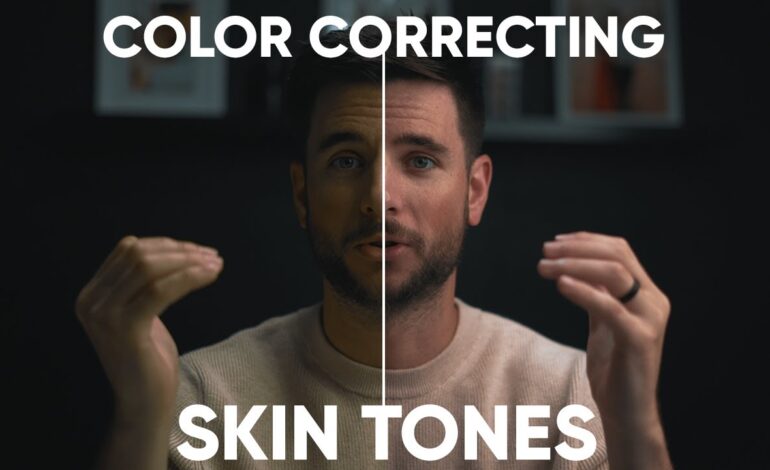
Modern video production is no longer limited by natural lighting conditions. With advanced editing software and creative grading methods, filmmakers and content creators can transform ordinary daylight footage into dramatic nighttime visuals. Day-to-night color grading has become one of the most effective techniques for producing cinematic atmosphere without expensive night shoots.
In 2026, creators across platforms are using enhanced grading workflows to save production costs while maintaining professional visual quality. Whether you create short films, travel edits, YouTube content, commercials, or social media reels, understanding this technique can dramatically improve your storytelling.
This guide explains how to achieve believable nighttime aesthetics using professional color grading strategies, exposure control, contrast shaping, and mood-driven color palettes.
Why Editors Use Day-to-Night Grading
Shooting during daylight offers multiple production advantages. Cameras capture cleaner images, crews work more efficiently, and lighting setups become easier to manage. However, many stories require nighttime emotion, mystery, or cinematic tension.
Instead of filming after sunset, editors simulate darkness during post-production by manipulating:
- Exposure levels
- White balance
- Shadow density
- Color temperature
- Contrast curves
- Highlight intensity
The goal is not simply making footage darker. Effective grading creates realistic nighttime depth while preserving subject visibility and cinematic clarity.
Start With Properly Captured Footage
Strong results begin before editing even starts. The quality of the original footage determines how realistic the final nighttime look will appear.
For the best grading flexibility:
- Shoot in flat or log color profiles
- Avoid harsh midday sunlight
- Use controlled exposure settings
- Protect highlights from clipping
- Capture balanced shadows
- Reduce excessive sky brightness
Cloudy weather often produces the most believable footage for day-to-night conversion because softer lighting naturally resembles evening ambience.
Footage recorded during golden hour can also produce impressive cinematic transitions when graded correctly.
Lower Exposure Without Losing Details
The first adjustment in day-to-night grading is reducing overall brightness. Many beginners make the mistake of crushing exposure too aggressively, which creates muddy and unrealistic visuals.
Professional editors darken footage gradually while preserving important details in faces, clothing, and environments.
Focus on balancing:
- Midtones
- Black levels
- Shadow texture
- Highlight retention
Using curves instead of simple brightness sliders gives far more cinematic control. Gentle exposure shaping helps scenes feel naturally dark rather than artificially underexposed.
Selective darkening using masks can also create stronger realism by controlling skies separately from foreground subjects.
Shift Colors Toward Cooler Tones
Night scenes are commonly associated with cooler color temperatures. Blue and teal tones help simulate moonlight while enhancing cinematic mood.
Effective cooling techniques include:
- Reducing warm orange saturation
- Adding blue tones into shadows
- Introducing cyan into darker regions
- Lowering overall warmth slightly
The key is subtlety. Overusing blue often creates unrealistic footage that looks stylized rather than cinematic.
Many professional colorists combine cool shadows with slightly warm skin tones. This contrast preserves human depth while maintaining nighttime atmosphere.
Control Highlights for Natural Results
Bright highlights instantly reveal that footage was captured during daytime. Sun reflections, white clouds, and overexposed surfaces can break the illusion.
To fix this:
- Reduce highlight intensity
- Lower white point values
- Add soft contrast roll-off
- Use graduated masks for skies
- Dim reflective surfaces selectively
Modern editing applications allow editors to isolate bright areas with precision. Reducing excessive light creates more believable nighttime balance without flattening the image.
Soft highlight transitions also help footage appear more filmic and less digitally processed.
Enhance Shadows With Cinematic Depth
Night scenes rely heavily on shadow design. Flat shadows make footage look dull, while properly shaped darkness creates visual drama.
Instead of crushing blacks entirely, preserve texture inside dark areas. Controlled shadow depth maintains realism and detail.
Professional techniques include:
- Adding subtle contrast separation
- Creating directional darkness
- Using vignettes carefully
- Enhancing edge depth around subjects
This layered shadow approach increases dimensionality and helps scenes feel immersive.
In thriller, sci-fi, and dramatic content, shadow styling often becomes the foundation of emotional storytelling.
Add Practical Light Sources
Real nighttime scenes rarely exist in complete darkness. Artificial light sources help sell the illusion and create believable cinematic environments.
Popular additions include:
- Street lights
- Window glow
- Car headlights
- Neon reflections
- Moonlight highlights
- Ambient city lighting
Glow effects, light wraps, and soft bloom enhancements can dramatically improve realism when applied carefully.
Adding controlled light accents also guides viewer attention and strengthens scene composition.
Use LUTs Carefully for Better Consistency
LUTs remain popular in professional editing workflows because they accelerate color grading consistency. However, relying entirely on LUTs can create generic results.
Instead of applying LUTs at full strength:
- Lower LUT opacity
- Adjust exposure afterward
- Refine contrast manually
- Customize skin tone balance
- Match scene-specific lighting
Many editors now combine multiple LUT layers to achieve unique cinematic aesthetics.
In 2026, custom grading workflows outperform one-click presets because audiences increasingly recognize overused color styles.
Improve Realism With Atmospheric Effects
Atmospheric enhancements help daytime footage feel naturally nocturnal. Subtle environmental effects can dramatically increase immersion.
Useful additions include:
- Light fog overlays
- Film grain
- Haze effects
- Reduced saturation
- Lens diffusion
- Soft bloom highlights
Film grain especially helps unify digital footage while masking aggressive grading adjustments.
Carefully layered atmosphere creates emotional depth and cinematic texture without overwhelming the original footage.
Optimize Day-to-Night Videos for Modern Platforms
Content creators now optimize cinematic visuals differently depending on distribution platforms. Videos intended for YouTube, TikTok, Instagram Reels, or streaming platforms require platform-aware grading decisions.
For better engagement:
- Maintain visible subject detail on mobile screens
- Avoid overly crushed blacks
- Preserve facial clarity
- Use high dynamic range exports when possible
- Keep contrast balanced for small displays
Google Discover increasingly prioritizes visually engaging content with strong thumbnail appeal and viewer retention. Cinematic grading improves click-through rates because audiences respond emotionally to mood-driven visuals.
Using compelling nighttime imagery can increase watch duration and strengthen audience interaction metrics.
Final Thoughts
Day-to-night color grading continues evolving as editing technology becomes more advanced and accessible. What once required large post-production teams can now be achieved by independent creators using modern software tools and disciplined workflows.
The most effective nighttime conversions combine technical precision with emotional storytelling. Exposure shaping, color balance, atmospheric design, and cinematic contrast all work together to create believable visuals.
Rather than simply darkening footage, professional grading builds mood, tension, and narrative depth. As cinematic content continues dominating online platforms in 2026, mastering these techniques can elevate your projects beyond standard edits and create a more immersive viewing experience.