
Creating video content consistently in 2026 requires more than creativity alone. Editors, marketers, YouTubers, and social media creators now handle large volumes of content every week. From short-form clips to promotional campaigns, managing dozens of files manually can quickly become overwhelming. That is where batch editing becomes essential.
Batch editing allows creators to process multiple videos simultaneously using organized workflows, automation tools, reusable presets, and synchronized adjustments. Instead of repeating the same task for every clip, editors can apply changes across entire projects in minutes. This approach saves time, reduces mistakes, and improves production speed without lowering quality.
As content demand continues to rise across platforms like YouTube, TikTok, and Instagram, efficient editing systems have become a competitive advantage. Understanding how batch editing works can dramatically improve productivity for beginners and professionals alike.
Why Batch Editing Matters More Than Ever
Modern creators often produce content in series. Tutorials, interviews, podcasts, product reviews, reels, and educational videos usually follow similar structures. Editing each project individually wastes valuable time because many adjustments remain identical across files.
Batch editing solves this problem by allowing repetitive actions to be automated. Color grading, audio balancing, subtitles, transitions, exports, resizing, and naming conventions can all be applied to multiple clips at once.
This workflow offers several important benefits:
- Faster turnaround times
- Consistent branding across videos
- Reduced editing fatigue
- Improved project organization
- Better collaboration with teams
- Easier content scaling for businesses
For creators publishing daily or weekly, these efficiencies can significantly increase output while maintaining professional standards.
Organize Files Before Starting Any Project
Efficient batch editing begins long before the timeline opens. Poor organization creates delays that no software can fix later. The first step is building a clean project structure.
Create folders for:
- Raw footage
- Audio files
- Graphics and overlays
- Exports
- Music libraries
- Project backups
Naming files correctly also improves workflow speed. Instead of generic names like “clip1” or “video_final,” use descriptive labels with dates or categories. This helps editors locate assets instantly during larger productions.
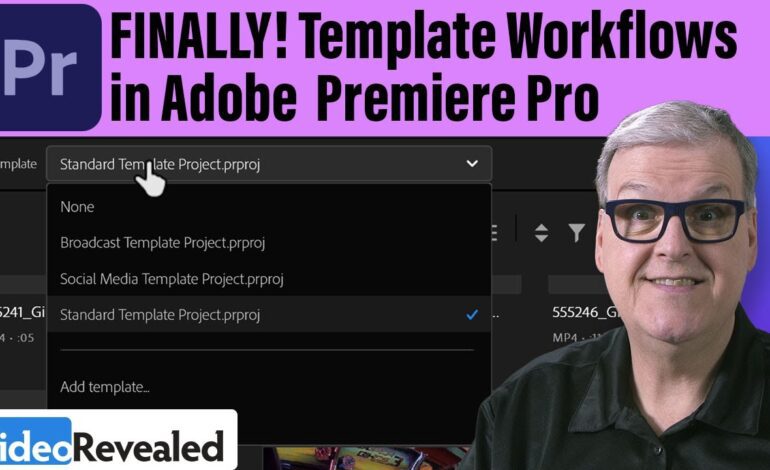
Professional creators often prepare templates before importing footage. These templates include timeline settings, branding elements, intro animations, transitions, and audio tracks already arranged for quick duplication.
Use Presets to Eliminate Repetitive Tasks
Presets are one of the most powerful batch editing tools available today. Rather than manually adjusting every clip, editors can save custom settings and apply them instantly.
Useful preset categories include:
Color Correction Presets
Consistent color grading strengthens brand identity and improves visual quality. Applying the same LUT or grading profile across multiple clips ensures a unified look.
Audio Enhancement Presets
Background noise removal, voice clarity adjustments, compression, and equalization settings can be reused repeatedly across projects.
Text and Caption Templates
Many creators use recurring subtitles, lower-thirds, or animated titles. Saving these elements as templates eliminates unnecessary recreation.
Export Presets
Rendering videos for different platforms requires unique settings. Batch export presets streamline delivery for vertical videos, widescreen uploads, and compressed social media formats.
Popular editing applications such as Adobe Premiere Pro, DaVinci Resolve, and Final Cut Pro all support advanced preset systems that speed up editing dramatically.
Automate Editing Tasks for Faster Production
Automation has become one of the most important trends in video editing during 2026. Modern tools now assist with repetitive processes that once required manual work.
AI-powered systems can automatically:
- Detect silence and remove pauses
- Generate subtitles
- Sync audio tracks
- Resize content for multiple platforms
- Match colors between clips
- Identify highlights in long recordings
Automation does not replace creativity. Instead, it removes technical repetition so editors can focus more on storytelling and audience engagement.
For example, podcast editors can process several episodes simultaneously by applying audio cleanup presets, intro sequences, and subtitle generation automatically. This cuts editing time from hours to minutes.
Create Editing Templates for Recurring Content
One of the smartest strategies for scaling content production is building reusable templates. Channels that publish similar formats repeatedly benefit enormously from standardized timelines.
Templates may include:
- Intro sequences
- Outro animations
- Transition packs
- Music beds
- Logo placements
- Caption styles
- Social overlays
Once completed, the editor only needs to replace footage and update specific text sections. This approach maintains consistency while significantly accelerating workflow speed.
Businesses managing multiple clients often use template libraries to deliver projects faster without sacrificing quality.
Batch Exporting Saves Valuable Time
Rendering videos individually wastes processing power and interrupts productivity. Most professional editing applications now support batch exporting, allowing multiple timelines to render automatically.
This feature becomes especially useful for:
- Social media campaigns
- Educational course modules
- Multi-platform content distribution
- Client revisions
- Podcast segments
Editors can queue exports overnight while continuing other tasks during the day. Modern hardware acceleration also improves rendering efficiency dramatically compared to older workflows.
Maintain Quality Control During High-Speed Editing
Speed should never reduce professionalism. One common mistake in batch editing is relying too heavily on automation without reviewing the final output.
Always check:
- Audio synchronization
- Subtitle accuracy
- Color consistency
- Export settings
- Frame alignment
- Resolution quality
Even small errors can affect viewer retention and brand credibility. A quick review stage ensures videos remain polished before publishing.
Many experienced editors create a final checklist for every project. This simple habit prevents overlooked mistakes when managing large content volumes.
Cloud Collaboration Improves Team Efficiency
Remote collaboration continues to grow in the editing industry. Cloud-based workflows now allow editors, producers, designers, and marketers to work together seamlessly from different locations.
Shared storage systems help teams:
- Access the same assets instantly
- Leave timeline comments
- Track revisions
- Avoid duplicate file versions
- Accelerate approval processes
Collaborative workflows are especially important for agencies and growing content businesses producing videos daily.
The Future of Batch Editing in 2026
Video production continues evolving rapidly. AI assistance, cloud rendering, automated metadata tagging, and smart editing suggestions are becoming standard features across modern platforms.
Creators who learn batch editing techniques now gain a major advantage in speed, consistency, and scalability. As audiences demand more frequent content, efficient workflows will remain critical for success.
Instead of spending countless hours repeating the same adjustments manually, editors can focus on creativity, storytelling, and audience growth. Batch editing is no longer just a convenience. It has become an essential skill for modern digital production.
Final Thoughts
Batch editing transforms the way creators handle large video workloads. By organizing assets properly, using templates, automating repetitive actions, and leveraging modern editing software, creators can dramatically reduce production time while maintaining high-quality results.
In 2026, efficient workflows are just as important as creative talent. Whether managing YouTube videos, marketing campaigns, online courses, or social media reels, mastering batch editing can help creators publish faster, stay consistent, and scale content production successfully.
For anyone serious about video creation, adopting a streamlined batch editing workflow is one of the smartest investments for long-term growth and productivity.