Modern filmmaking and content creation rely heavily on color. Whether you are editing a YouTube vlog, a commercial advertisement, a short film, or a cinematic documentary, color can completely transform the emotional impact of your visuals. Yet many beginners still confuse color correction with color grading.
Although these two processes are closely connected, they serve entirely different purposes inside a professional editing workflow. Understanding the distinction can help you produce cleaner footage, maintain visual consistency, and create stunning cinematic looks that attract viewers across platforms like YouTube, TikTok, Netflix, and Google Discover.
This guide explains the complete difference between color correction and color grading, when to use each one, and how professionals combine both techniques to create visually powerful content in 2026.
Why Color Work Matters More Than Ever
Video competition is higher than ever. Audiences instantly judge production quality based on visual appearance. Poor color balance, inconsistent lighting, and flat footage can reduce viewer retention within seconds.
At the same time, modern cameras shoot in LOG and RAW formats that require proper post-production treatment before footage looks polished. This is where correction and grading become essential.
Good color work helps you:
- Create professional-looking videos
- Maintain consistent skin tones
- Improve exposure and contrast
- Build emotional atmosphere
- Strengthen brand identity
- Increase watch time and engagement
- Enhance cinematic storytelling
Before diving deeper, it is important to separate the technical process from the creative one.
Understanding Color Correction
The Technical Foundation of Video Editing
Color correction is the process of fixing footage so it looks natural, balanced, and technically accurate. Think of it as repairing and standardizing your video before adding artistic styling.
Editors typically perform correction first because grading works best on properly balanced footage.
Main Goals of Color Correction
A correction workflow usually focuses on:
- Exposure adjustment
- White balance fixes
- Contrast balancing
- Skin tone accuracy
- Noise reduction
- Shadow and highlight recovery
- Matching multiple camera shots
If one scene appears too blue and another looks overly warm, correction brings them into visual harmony.
Essential Elements Adjusted During Correction
Exposure Balancing
Footage that is too dark or overly bright loses important detail. Editors adjust highlights, shadows, blacks, and midtones to recover visual information.
White Balance Repair
Incorrect lighting can make scenes appear orange, green, or blue. White balance correction restores natural color temperature.
Contrast Optimization
Balanced contrast improves clarity and depth without crushing details in shadows or highlights.
Shot Matching
Multi-camera projects often contain inconsistent colors. Correction ensures all clips look unified before final styling.
What Is Color Grading?
The Creative Art of Visual Storytelling
Once footage is technically clean, the next step is color grading. This process shapes the emotional and cinematic appearance of the project.
Unlike correction, grading is not about fixing problems. It is about creating mood, atmosphere, and artistic identity.
Color grading helps filmmakers control how audiences emotionally respond to scenes.
For example:
- Warm golden tones can create nostalgia
- Cool blue shadows may build tension
- Desaturated colors can add realism
- High-contrast teal and orange looks feel cinematic
This is where the visual personality of a project truly emerges.
How Color Grading Influences Emotion
Cinematic Looks and Viewer Psychology
Professional filmmakers use color psychology constantly. Different palettes trigger different emotional reactions.
Popular Modern Grading Styles
Teal and Orange
Frequently used in blockbuster films because skin tones stand out against cool backgrounds.
Moody Desaturation
Common in thrillers and dramatic streaming series.
Warm Vintage Tones
Popular for wedding films, travel videos, and nostalgic storytelling.
High-Contrast Commercial Looks
Used in luxury advertisements and sports content.
Soft Pastel Aesthetics
Trending heavily across lifestyle creators and fashion influencers in 2026.
These grading decisions help content stand out on social feeds and improve audience retention.
The Complete Workflow: Correction First, Grading Second
Why Sequence Matters
One of the biggest mistakes beginners make is applying LUTs or cinematic presets before correcting footage.
Professional workflows usually follow this order:
Step 1: Import Footage
Organize clips and review exposure quality.
Step 2: Perform Color Correction
Fix technical problems and normalize footage.
Step 3: Match Camera Angles
Ensure visual consistency between scenes.
Step 4: Apply Creative Grade
Add cinematic styling and emotional tone.
Step 5: Final Adjustments
Refine saturation, sharpness, and contrast for delivery.
Skipping correction often causes grading to produce unnatural skin tones and inconsistent visuals.
Best Software for Color Work in 2026
Industry-Standard Editing Platforms
Several professional tools dominate the editing industry today.
DaVinci Resolve
Widely considered the best platform for advanced grading and correction. Its node-based workflow offers maximum flexibility.
Adobe Premiere Pro
Popular among YouTubers and commercial editors due to its integration with the Adobe ecosystem.
Final Cut Pro
Preferred by many Mac-based creators for speed and optimization.
Avid Media Composer
Common in large-scale film and television production environments.
Each platform supports scopes, LUTs, masking, tracking, and advanced color tools.
Scopes: The Secret Behind Accurate Color
Why Professionals Rely on Video Scopes
Professional editors rarely trust the monitor alone. They use scopes to measure color and brightness accurately.
Important Scopes Include
- Waveform Monitor
- RGB Parade
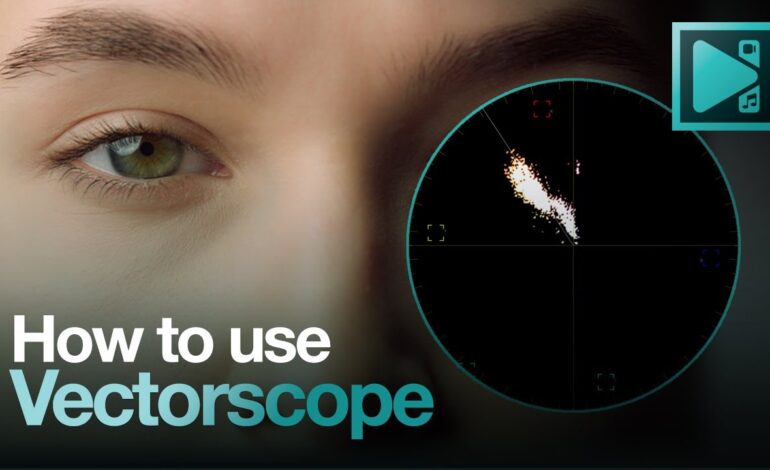
- Vectorscope
- Histogram
Scopes help avoid clipped highlights, crushed blacks, and inaccurate skin tones.
Learning to read scopes dramatically improves editing quality.
Common Mistakes Beginners Should Avoid
Errors That Ruin Video Quality
Many editors unintentionally damage footage during post-production.
Over-Saturation
Too much color intensity creates unrealistic images.
Extreme Contrast
Heavy contrast can destroy detail in shadows and highlights.
Incorrect Skin Tones
Viewers immediately notice unnatural faces.
Excessive LUT Dependence
LUTs are tools, not magic solutions. Proper correction must happen first.
Ignoring Monitor Calibration
Uncalibrated displays produce inconsistent results across devices.
Avoiding these issues helps videos appear more professional and trustworthy.
Which Matters More: Correction or Grading?
Both Are Essential for Professional Results
Correction and grading are not competitors. They are complementary stages of the same workflow.
Correction creates technical accuracy.
Grading creates artistic emotion.
Without correction, grading falls apart. Without grading, footage may look flat and uninspiring.
Professional editors understand that mastering both skills leads to cinematic visuals that audiences remember.
Final Thoughts
The difference between color correction and color grading becomes clear once you understand their purpose. Correction fixes technical problems and ensures consistency, while grading adds style, atmosphere, and emotional depth.
As video competition continues growing in 2026, strong color workflows are no longer optional. Whether you create YouTube videos, short films, documentaries, or branded social media content, professional color work can dramatically improve visual quality and viewer engagement.
Learning these techniques takes practice, but the results are worth the effort. With proper correction, thoughtful grading, and consistent workflow habits, even ordinary footage can look cinematic and polished.
For creators aiming to rank on Google Discover and increase audience retention, visually striking color treatment is becoming one of the strongest advantages in digital storytelling today