Instagram Reels continue to dominate short-form content in 2026, giving creators, brands, and freelancers a powerful way to reach wider audiences. With attention spans getting shorter, the quality and pace of your editing can decide whether viewers keep watching or scroll away within seconds. The good news is that you no longer need expensive software or a desktop setup to create professional-looking videos. Modern smartphones and editing apps now offer advanced tools that can produce impressive results directly from your pocket.
If you want more views, shares, saves, and followers, mastering mobile editing techniques is essential. This guide covers practical and effective strategies to help you create polished Instagram Reels that stand out in crowded feeds while staying optimized for modern social media algorithms.
Why Mobile Editing Is Dominating Short-Form Content
Mobile editing has become the preferred choice for creators because it is fast, flexible, and highly convenient. Most viral Reels are filmed, edited, and uploaded entirely from smartphones. Editing on mobile devices allows creators to react quickly to trends, publish content faster, and maintain consistent posting schedules.
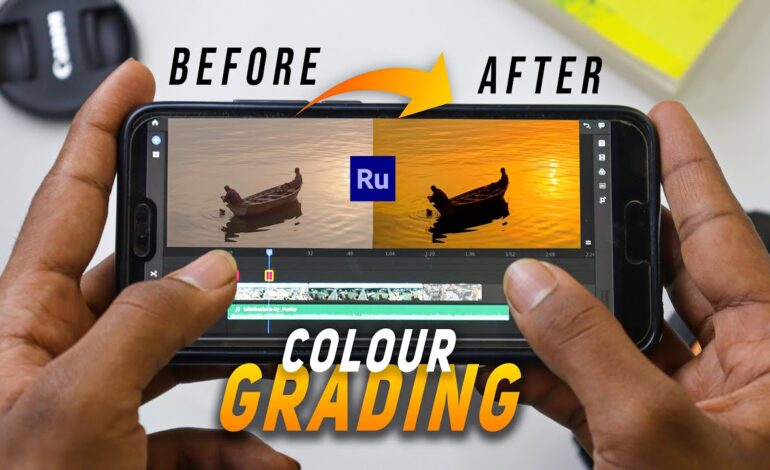
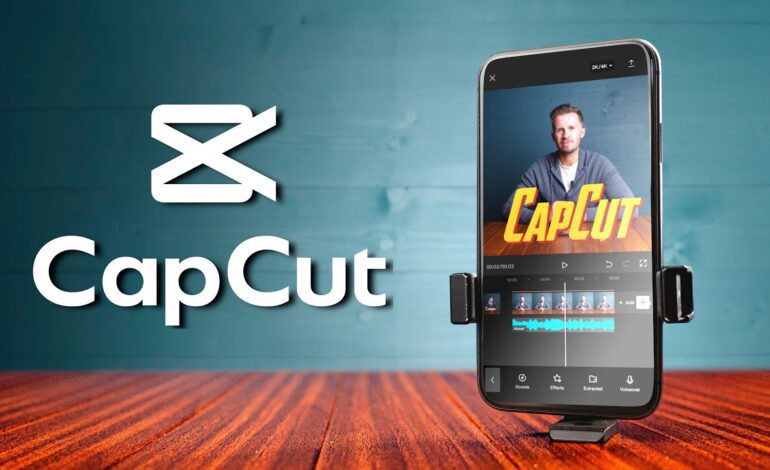
Apps like CapCut, VN Video Editor, Adobe Premiere Rush, and InShot provide professional-level features such as motion tracking, transitions, AI captions, speed ramping, and color correction. These tools help creators produce engaging Reels without needing complex desktop software.
Start With a Strong Hook in the First Three Seconds
The beginning of your Reel is the most important part. Instagram’s algorithm pays close attention to watch time and retention, meaning viewers need a reason to keep watching immediately.
Effective hooks include:
- Asking a question
- Showing a surprising result first
- Using bold on-screen text
- Starting with fast movement
- Previewing the final transformation
For example, instead of slowly introducing a topic, begin with the most visually exciting moment. Fast pacing instantly grabs attention and increases the chances of viewers watching until the end.
Shoot Vertically for Better Reel Performance
Instagram Reels are designed for vertical viewing, so always record in a 9:16 aspect ratio. Horizontal footage often reduces quality and leaves empty spaces on the screen.
To improve recording quality:
- Use natural lighting whenever possible
- Stabilize your phone with a tripod or gimbal
- Clean the camera lens before filming
- Record in 1080p or 4K resolution
- Avoid digital zoom because it reduces sharpness
Smooth and clear footage makes editing easier and improves overall viewer experience.
Keep Cuts Fast and Engaging
Fast-paced editing helps maintain audience attention. Most successful Reels use quick cuts every few seconds to prevent the video from feeling slow.
When editing:
- Remove unnecessary pauses
- Match cuts with music beats
- Use zoom-ins for emphasis
- Add movement between clips
- Maintain visual flow from scene to scene
Dynamic editing keeps viewers interested and encourages replay value, which can improve Reel reach significantly.
Use Trending Audio Strategically
Trending sounds remain one of the biggest growth factors on Instagram. Reels using popular audio tracks often gain better visibility because Instagram pushes content aligned with current trends.
However, successful creators do more than simply copy trends. They adapt trending audio creatively to fit their niche. Educational creators, travel vloggers, fitness influencers, and product reviewers all use the same sounds differently.
When selecting music:
- Choose clear and high-quality audio
- Avoid overpowering background tracks
- Sync transitions with beat drops
- Keep voiceovers understandable
Balancing sound design with visuals creates a more professional final product.
Add Captions for Higher Watch Time
Many users watch Reels without sound, especially in public spaces. Captions help retain viewers and improve accessibility.
Automatic caption tools inside editing apps save time while increasing engagement. Use readable fonts, strong contrast, and short text lines that are easy to follow.
Good captions can:
- Improve retention rates
- Increase accessibility
- Enhance storytelling
- Highlight important points
- Keep silent viewers engaged
Short, bold subtitles often perform better than long paragraphs of text.
Improve Colors Without Overediting
Color grading can make your Reel look cinematic, but excessive filters may reduce authenticity. In 2026, audiences prefer natural-looking edits with clean colors and balanced lighting.
Basic mobile color adjustments include:
- Increasing brightness slightly
- Improving contrast
- Adjusting warmth carefully
- Enhancing saturation moderately
- Correcting shadows and highlights
Consistent color tones also help establish a recognizable visual identity across your Instagram profile.
Use Transitions With Purpose
Transitions should improve storytelling instead of distracting viewers. Simple cuts often work better than flashy effects.
Popular transition styles include:
- Match cuts
- Spin transitions
- Speed ramps
- Motion blur effects
- Camera movement transitions
The best transitions feel natural and keep the video flowing smoothly. Overusing effects can make Reels appear cluttered and reduce viewer focus.
Optimize Export Settings for Instagram
Export settings directly affect video quality after upload. Incorrect settings may cause compression issues, blurry footage, or frame drops.
Recommended export settings for Instagram Reels in 2026:
- Resolution: 1080 × 1920
- Frame Rate: 30fps or 60fps
- Format: MP4
- Codec: H.264
- Bitrate: High quality without excessive file size
Before posting, watch the final export carefully to check for glitches, audio syncing problems, or compression artifacts.
Maintain a Consistent Editing Style
Consistency helps audiences recognize your content instantly. Successful creators usually follow a similar editing rhythm, color palette, text style, and pacing across their Reels.
Building a recognizable style improves branding and creates stronger audience familiarity over time.
You can maintain consistency by using:
- Similar fonts
- Repeating transition styles
- Matching color tones
- Consistent intro formats
- Familiar sound design
This approach makes your content appear more professional and memorable.
Focus on Storytelling Instead of Effects
Many creators rely too heavily on transitions and filters while ignoring storytelling. A simple Reel with a clear message often performs better than a visually overloaded video.
Every successful Reel usually follows a basic structure:
- Attention-grabbing opening
- Valuable or entertaining middle
- Strong ending or call to action
Whether you are teaching a skill, showing a transformation, or sharing a daily routine, storytelling keeps viewers emotionally connected.
Final Thoughts
Creating high-performing Instagram Reels no longer requires expensive equipment or advanced editing studios. Smartphones and mobile editing apps now provide enough power to create engaging, professional-quality videos from virtually anywhere.
The key to success lies in combining strong hooks, smooth pacing, strategic audio, clean visuals, and consistent storytelling. As Instagram continues prioritizing short-form content in 2026, creators who master mobile editing techniques will have a major advantage in building audience growth and improving engagement.
By focusing on viewer retention, visual clarity, and creative storytelling, you can turn simple mobile footage into Reels that attract more views, shares, and followers while staying competitive in today’s fast-moving social media landscape.