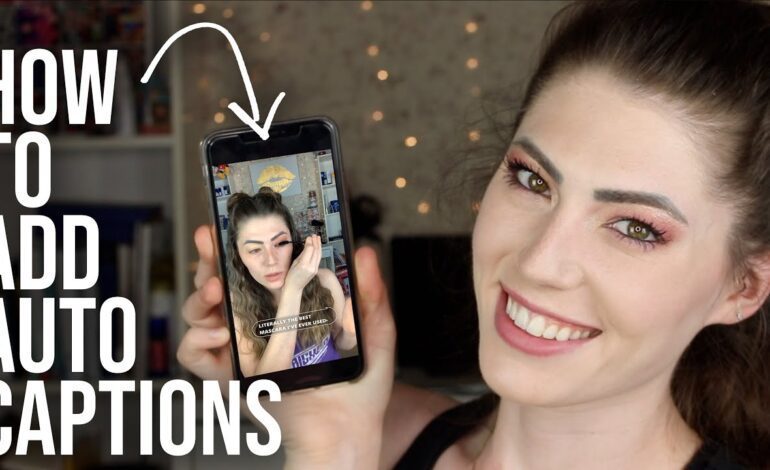
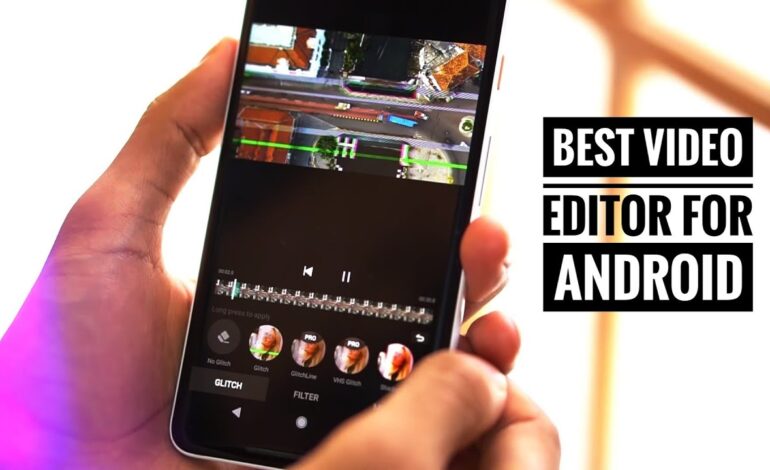
Mobile content creation has evolved rapidly in 2026. Today, creators no longer need expensive cameras or high-end desktop setups to produce professional-quality videos. With powerful smartphones and advanced editing apps, an entire production workflow can happen directly from a mobile device.
Whether you create short-form videos for TikTok, Instagram Reels, YouTube Shorts, or Facebook, having an organized editing workflow helps save time, improve quality, and maintain consistent uploads. A streamlined process also reduces editing stress and helps creators focus on storytelling instead of technical problems.
This guide explains a complete mobile editing workflow from the planning stage to publishing optimized content online.
Why a Mobile Workflow Matters in 2026
Short-form video dominates nearly every social media platform. Algorithms reward creators who publish consistently and keep viewers engaged during the first few seconds.
A structured mobile workflow helps you:
- Record content faster
- Keep projects organized
- Edit efficiently on the go
- Maintain visual consistency
- Export videos in platform-friendly formats
- Post content without quality loss
Modern smartphones now support advanced stabilization, cinematic video modes, AI editing tools, and cloud syncing. Because of this, creators can manage everything from a single device without sacrificing production quality.
Step 1: Plan Before Recording
Create a Clear Video Objective
Before filming starts, define the purpose of the video. Ask yourself:
- Is the goal to educate viewers?
- Should the video entertain?
- Are you promoting a product or service?
- Do you want engagement or conversions?
A clear objective improves scripting, filming, and editing decisions.
Write a Simple Shot List
Instead of filming randomly, prepare short scenes in advance. A basic structure might include:
- Hook
- Main content
- Supporting visuals
- Call to action
This approach prevents missing important footage and reduces editing time later.
Choose the Right Aspect Ratio
Different platforms prioritize vertical content. For most social platforms in 2026, the ideal format is:
- 9:16 vertical video
- 1080×1920 resolution
- 30fps or 60fps frame rate
Filming in the correct format avoids cropping issues during editing.
Step 2: Capture High-Quality Footage
Use Natural Lighting Whenever Possible
Lighting significantly affects video quality. Smartphone cameras perform best in bright environments.
For cleaner footage:
- Face windows or soft daylight
- Avoid harsh overhead lighting
- Keep backgrounds uncluttered
- Use affordable LED lights for indoor shoots
Good lighting instantly improves professional appearance without expensive equipment.
Stabilize Your Camera
Shaky footage reduces viewer retention. Even basic stabilization can make content appear more cinematic.
Helpful tools include:
- Mini tripods
- Smartphone gimbals
- Handheld grips
- Stable surfaces
Many smartphones also include built-in stabilization features that improve movement shots.
Record Better Audio
Poor sound quality can ruin a great video. Clear audio matters more than ultra-high video resolution.
For improved sound:
- Record in quiet spaces
- Use clip-on microphones
- Avoid windy environments
- Monitor background noise
Clean audio reduces editing corrections later.
Step 3: Organize Your Files Efficiently
Create a Folder System
Disorganized clips slow down editing. Before importing footage, sort files into categories such as:
- Main clips
- B-roll footage
- Audio
- Music
- Graphics
- Exports
This organization helps creators locate assets quickly during editing sessions.
Back Up Your Footage
Mobile creators often lose projects because of storage problems or accidental deletion.
Reliable backup options include:
- Cloud storage
- External SSD drives
- Google Drive
- Dropbox
- Device syncing apps
Backing up footage protects long-term content work.
Step 4: Edit Videos on Mobile Apps
Select the Right Editing App
Several mobile editing applications dominate the creator industry in 2026.
Popular choices include:
- CapCut
- VN Video Editor
- Adobe Premiere Rush
- LumaFusion
- KineMaster
Each app offers tools for transitions, color correction, subtitles, and effects directly on mobile devices.
Focus on the First Three Seconds
Social media audiences scroll quickly. Strong hooks improve watch time and algorithm performance.
Effective hooks include:
- Bold text overlays
- Fast movement
- Emotional reactions
- Surprising statements
- Visual transformations
The opening moments determine whether viewers continue watching.
Keep Edits Fast and Clean
Modern audiences prefer dynamic pacing. Remove unnecessary pauses and keep scenes moving.
Best editing practices include:
- Short cuts between clips
- Zoom effects for emphasis
- Captions for accessibility
- Background music at low volume
- Minimal transition overload
Simple edits often outperform overly complex styles.
Add Captions for Better Engagement
Captions increase watch time because many users watch videos without sound.
Benefits of subtitles include:
- Improved accessibility
- Higher retention rates
- Better understanding
- Increased social engagement
Auto-caption tools inside editing apps save significant time.
Step 5: Optimize for Social Media Platforms
Export Using Recommended Settings
Incorrect export settings can reduce video quality after uploading.
Recommended export settings:
- MP4 format
- 264 codec
- 1080p resolution
- 10–20 Mbps bitrate
- AAC audio
These settings work well across major platforms.
Create Platform-Specific Captions
A strong social media caption improves visibility and engagement.
Effective captions usually include:
- A curiosity-driven opening
- Short paragraphs
- Relevant keywords
- Clear call to action
Avoid keyword stuffing because algorithms prioritize readability and audience interaction.
Design an Eye-Catching Thumbnail
Even short-form content benefits from custom thumbnails.
Strong thumbnails typically feature:
- Large readable text
- High contrast colors
- Emotional expressions
- Clear subject focus
Thumbnails influence click-through rates across YouTube and social feeds.
Step 6: Publish at the Right Time
Study Audience Activity
Posting at optimal times can improve initial engagement.
Use analytics tools to identify:
- Peak audience hours
- Highest engagement days
- Watch time trends
- Follower activity patterns
Consistency matters more than posting randomly.
Repurpose Content Across Platforms
One video can generate multiple content pieces.
For example:
- TikTok video
- Instagram Reel
- YouTube Short
- Pinterest Idea Pin
- Facebook Reel
Repurposing increases reach while reducing production workload.
Step 7: Analyze Performance and Improve
Track Key Metrics
Successful creators monitor content performance regularly.
Important metrics include:
- Average watch duration
- Retention percentage
- Shares
- Saves
- Click-through rate
- Comments
Analytics reveal what audiences enjoy most.
Improve Future Content Using Data
Instead of guessing, use performance insights to refine future edits.
Review:
- Which hooks worked best
- Where viewers dropped off
- Which topics gained traction
- What editing style increased engagement
Consistent testing helps creators grow faster.
Google Discover Optimization Tips for Mobile Editing Content
To improve visibility on Google Discover in 2026:
Use Emotion-Driven Headlines
High-performing headlines create curiosity without sounding misleading.
Examples:
- “The Mobile Editing Workflow Creators Use Daily”
- “How Smartphone Creators Edit Viral Videos Faster”
- “The Fastest Way to Edit Content on Mobile”
Include Original Insights
Google Discover rewards helpful, experience-based content rather than generic information.
Add:
- Personal workflow examples
- Real editing experiences
- App comparisons
- Updated creator trends
Fresh perspectives improve ranking potential.
Prioritize Mobile Readability
Since Discover traffic comes mostly from smartphones:
- Keep paragraphs short
- Use clear headings
- Avoid cluttered formatting
- Add scannable sections
Clean formatting improves user engagement signals
Final Thoughts
A strong mobile editing workflow can dramatically improve productivity, content quality, and social media growth. From planning footage to publishing optimized videos, every stage affects viewer retention and platform performance.
In 2026, creators who master fast mobile production systems gain a competitive advantage across every major platform. Consistency, organization, and efficient editing techniques now matter more than expensive equipment.
With the right workflow, a smartphone becomes a complete video production studio capable of producing professional content anywhere