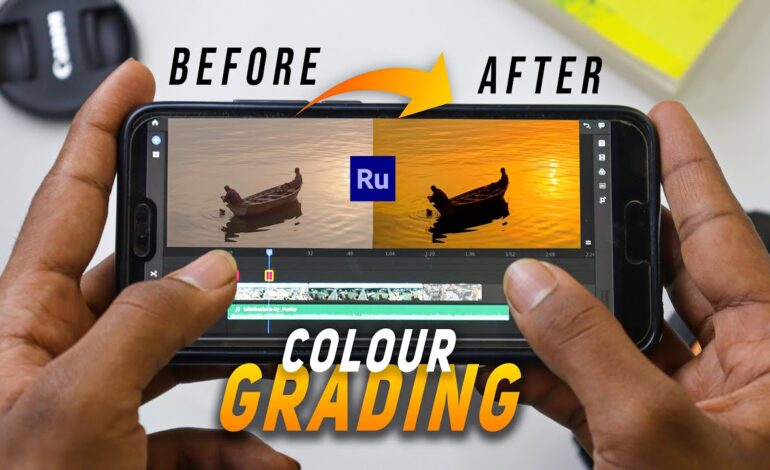
Mobile video editing has evolved rapidly in recent years. In 2026, creators no longer need expensive desktop software to achieve cinematic color grading. Smartphones now support advanced editing tools, allowing creators to apply professional color corrections directly from mobile apps. One of the most effective tools in this workflow is the LUT.
LUTs, also known as Lookup Tables, simplify color grading by instantly applying a predefined color style to footage. Whether you create YouTube videos, Instagram Reels, TikTok clips, travel content, or product commercials, LUTs can dramatically improve the visual quality of your videos within seconds.
For creators who want faster editing workflows while maintaining consistent visual quality, mobile LUTs have become essential.
What Are LUTs in Mobile Video Editing?
A LUT is essentially a preset that changes the colors, contrast, brightness, and tone of your video. Instead of manually adjusting every setting, a LUT automatically applies a complete color profile to your footage.
Professional filmmakers use LUTs to create cinematic moods, but mobile creators now have access to the same editing techniques through modern smartphone apps.
Common LUT styles include:
- Cinematic contrast
- Warm travel tones
- Moody dark aesthetics
- Bright commercial looks
- Vintage film effects
- Teal and orange movie colors
Using LUTs saves editing time while giving videos a polished and professional appearance.
Why Mobile LUTs Are Popular in 2026
Short-form content platforms continue to dominate online traffic. Audiences expect visually appealing videos, even from beginner creators. Because of this demand, mobile LUT workflows have become extremely popular.
Here are the main reasons creators use LUTs on smartphones:
Faster Editing Process
Instead of spending hours adjusting colors manually, creators can apply a LUT instantly and make only minor refinements afterward.
Consistent Branding
Many influencers and brands use the same LUT across all videos to maintain a recognizable visual identity.
Professional Results Without a PC
Modern editing apps now support advanced color grading tools that were once available only on desktop software.
Better Engagement Rates
Well-colored videos usually perform better on social platforms because they look cleaner, sharper, and more cinematic.
Best Mobile Apps for Applying LUTs
Several editing apps now support LUT imports and advanced color adjustments. Choosing the right app depends on your editing style and content goals.
VN Video Editor
VN is beginner-friendly and supports LUT imports with smooth performance. It works well for YouTube Shorts and TikTok creators.
Best Features
- Easy LUT importing
- Lightweight editing interface
- Fast export speeds
- Free professional tools
CapCut
CapCut remains one of the most popular editing apps in 2026. It supports filters, presets, and advanced color adjustments.
Why Creators Prefer It
- AI-assisted editing tools
- Mobile-friendly interface
- Quick rendering
- Social media optimization
Adobe Premiere Rush
This app is ideal for creators who want professional-level editing on mobile devices.
Key Advantages
- High-quality color correction
- Cloud synchronization
- Advanced timeline editing
- Smooth LUT support
LumaFusion
LumaFusion is popular among advanced mobile filmmakers.
Professional Benefits
- Multi-layer editing
- Precise color grading tools
- Advanced export settings
- High-resolution workflow support
How to Use Mobile LUTs Effectively
Applying LUTs correctly is important because every video clip has different lighting conditions. Simply adding a LUT without adjustments can sometimes make footage look unnatural.
Start With Proper Exposure
Before applying a LUT, fix the basic lighting of your footage.
Adjust:
- Brightness
- Shadows
- Highlights
- White balance
Balanced footage helps LUTs work more effectively.
Reduce LUT Intensity
Many beginners use LUTs at full strength, which often creates unrealistic colors. Lowering the intensity usually produces cleaner and more natural results.
Most editing apps allow creators to reduce LUT opacity between 40% and 80%.
Match Your Content Style
Different content types require different color grading styles.
Examples:
- Travel videos benefit from vibrant tones
- Product ads need clean and bright colors
- Cinematic storytelling often uses moody LUTs
- Food content works better with warm saturation
Choosing the right LUT helps improve audience retention.
Common Mistakes When Using LUTs
Many creators rely too heavily on presets without understanding proper color correction techniques.
Ignoring Lighting Conditions
A LUT designed for outdoor footage may not work well indoors. Always test presets carefully.
Oversaturated Colors
Too much contrast and saturation can make videos look artificial.
Using Random Free LUTs
Low-quality LUT packs often damage footage quality. Use trusted sources or create your own custom presets.
Skipping Manual Adjustments
LUTs should improve footage, not replace proper editing. Small manual tweaks still matter.
Creating Your Own Mobile LUT Style
As competition grows online, having a unique visual identity becomes more valuable. Many successful creators eventually develop their own custom color style.
To build a recognizable look:
- Use similar tones across videos
- Maintain consistent contrast levels
- Keep skin tones natural
- Avoid extreme effects
- Save your favorite adjustments as presets
Over time, audiences begin associating your content with a specific visual aesthetic.
Mobile LUT Trends Dominating 2026
Video editing trends continue to evolve rapidly. Several LUT styles are currently dominating content platforms.
Natural Cinematic Looks
Creators now prefer realistic colors instead of overly dramatic filters.
Soft Contrast Grading
Modern edits often use softer highlights with balanced shadows.
Film-Inspired Color Profiles
Vintage film emulation LUTs remain popular among vloggers and travel creators.
HDR Mobile Editing
Smartphones now capture higher dynamic range footage, allowing more detailed color correction.
Tips for Better Google Discover Performance
Since Google Discover favors visually engaging content, optimized videos and blog content can significantly improve visibility.
To increase discoverability:
- Use high-quality thumbnails
- Include visually rich screenshots
- Add engaging headings
- Optimize for mobile readers
- Keep paragraphs short
- Focus on trending creator topics
- Use updated 2026 editing techniques
- Improve page loading speed
Search engines now prioritize helpful, experience-based content that solves real creator problems.
Final Thoughts
Mobile LUTs have completely changed modern video editing workflows. In 2026, creators can achieve cinematic color correction directly from smartphones without relying on expensive desktop setups.
Whether you are editing travel vlogs, product videos, social media clips, or professional content, LUTs help speed up editing while improving visual quality. The key is using them strategically rather than depending entirely on presets.
As mobile cameras and editing apps continue to improve, creators who understand color grading fundamentals will have a major advantage in producing standout content online.