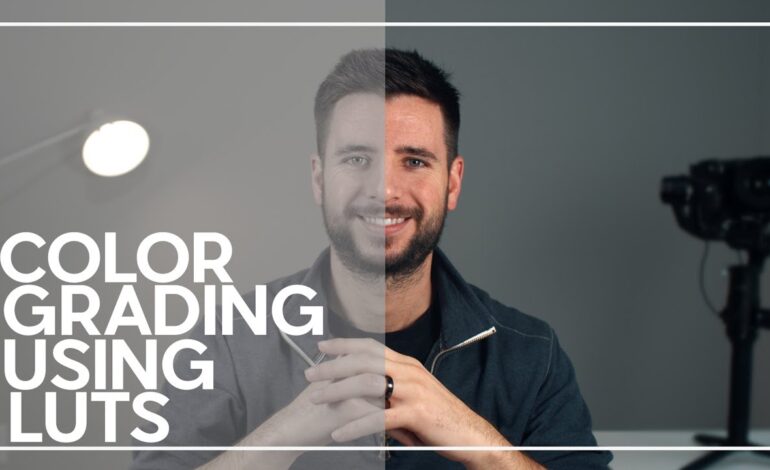
Mobile filmmaking has evolved rapidly over the last few years. In 2026, smartphones are capable of capturing stunning high-resolution footage with advanced HDR, LOG profiles, and cinematic stabilization. However, recording quality video is only the beginning. The real visual magic happens during color grading.
Color grading on mobile devices allows creators to shape mood, improve consistency, and give videos a polished cinematic appearance without using expensive desktop software. Whether you create content for YouTube, TikTok, Instagram Reels, or freelance video projects, mastering mobile color grading can instantly improve your production quality.
This guide explains everything you need to know about grading videos directly on your smartphone while keeping your workflow fast, creative, and optimized for modern content platforms.
Understanding the Difference Between Color Correction and Color Grading
Many beginners confuse color correction with grading, but they serve different purposes.
Color correction focuses on fixing technical issues in footage. This includes adjusting exposure, white balance, contrast, highlights, and shadows to make clips look natural and balanced.
Color grading is the creative process that comes afterward. It changes the visual tone of a video by applying cinematic styles, color palettes, mood adjustments, and stylistic effects.
For example:
- Warm orange tones can create a nostalgic atmosphere.
- Cooler blue shades often produce dramatic scenes.
- High-contrast grading works well for action videos.
- Soft pastel colors are popular for lifestyle content.
Understanding this distinction helps editors achieve cleaner and more intentional results.
Best Mobile Apps for Professional Color Grading
Modern mobile editing apps now offer advanced grading tools that rival desktop software. Choosing the right app depends on your editing style and content goals.
CapCut
CapCut remains one of the most popular editing apps because of its user-friendly interface and powerful filters. It supports LUT imports, HSL controls, curves, and cinematic presets, making it ideal for creators who want fast yet professional edits.
VN Video Editor
VN provides advanced manual controls without overwhelming beginners. Editors can fine-tune saturation, temperature, fade, sharpen effects, and shadows with impressive accuracy.
Adobe Premiere Rush
Adobe’s mobile platform offers seamless integration with desktop workflows. It works especially well for creators already using Adobe products.
LumaFusion
For iOS users, LumaFusion delivers professional-grade editing and advanced color tools. Many mobile filmmakers use it for commercial projects and YouTube productions.
KineMaster
KineMaster continues to attract creators looking for flexible layer editing and cinematic color presets suitable for short-form content.
Start With High-Quality Footage
Even the best grading techniques cannot completely fix poorly recorded clips. Good source footage always produces better results.
Before editing, focus on these filming basics:
- Record in 4K whenever possible.
- Use natural lighting or controlled light sources.
- Avoid overexposed highlights.
- Lock exposure manually while filming.
- Shoot in flat or LOG profiles if supported by your device.
Stable and properly exposed footage gives editors more flexibility during grading.
Build a Simple Mobile Color Grading Workflow
A structured workflow helps maintain consistent visual quality across every project.
1. Adjust Exposure First
Begin by balancing brightness levels. Lower overly bright highlights and recover shadow detail to create a balanced image.
2. Fix White Balance
Correct temperature settings to avoid footage appearing too blue or too orange. Natural skin tones are especially important for social media content.
3. Improve Contrast
Contrast adds depth and visual punch. Avoid pushing contrast too aggressively because it can destroy detail in darker areas.
4. Fine-Tune Saturation
Increase vibrancy carefully. Oversaturated colors often look unrealistic and reduce professional quality.
5. Use HSL Controls
HSL adjustments allow editors to modify individual colors independently. This is useful for enhancing skies, skin tones, greenery, or clothing.
6. Apply LUTs Carefully
LUTs help create cinematic looks quickly, but overusing them can damage image quality. Reduce LUT intensity for a more natural appearance.
Popular Cinematic Looks for Mobile Videos
Different video styles require different grading approaches. Choosing the right mood can dramatically increase viewer engagement.
Warm Cinematic Style
This style uses golden highlights and soft shadows to create emotional storytelling visuals. Travel vlogs and lifestyle videos commonly use this approach.
Dark Moody Aesthetic
Popular in dramatic edits and urban filmmaking, this look combines cooler shadows with deeper contrast.
Bright Social Media Look
Short-form content often performs well with brighter exposure, vibrant colors, and cleaner whites because it grabs attention quickly on mobile feeds.
Vintage Film Appearance
Adding fade, grain, and muted tones creates a nostalgic effect that works well for storytelling projects.
Avoid Common Mobile Grading Mistakes
Many creators over-edit their footage while trying to achieve cinematic results. Subtle adjustments usually look more professional.
Avoid these common errors:
- Excessive sharpening
- Unrealistic skin tones
- Extreme saturation
- Crushed shadows
- Overpowering LUT filters
- Inconsistent clip colors
A clean and natural visual style generally performs better across modern platforms.
Why Mobile Color Grading Matters for Content Creators
In 2026, visual quality directly affects audience retention. Platforms prioritize engaging videos that keep viewers watching longer. Better colors make videos appear more polished, increasing watch time and boosting content performance.
High-quality grading can also help freelancers attract premium clients. Businesses increasingly hire mobile editors for short-form advertising, product showcases, and social campaigns.
Strong visual presentation builds credibility and helps creators stand out in crowded feeds.
Optimize Graded Videos for Social Media Platforms
After grading your project, export settings also impact visual quality.
For best results:
- Export in H.264 or HEVC format.
- Use high bitrate settings.
- Maintain platform-friendly aspect ratios.
- Avoid over-compression.
- Preview footage before uploading.
Each platform compresses videos differently, so maintaining strong source quality is essential.
The Future of Mobile Color Grading
Smartphone editing technology continues to improve rapidly. AI-powered grading tools, real-time LUT previews, and HDR workflows are making professional editing more accessible than ever.
Creators no longer need expensive desktop setups to produce cinematic visuals. With the right workflow and creative direction, mobile devices can now handle professional-quality color grading efficiently.
Learning these skills today can open opportunities in content creation, freelancing, social media management, and digital filmmaking.
Final Thoughts
Color grading on mobile devices is no longer a beginner-only solution. In 2026, smartphones have become powerful creative tools capable of producing visually stunning content for every major platform.
By combining proper filming techniques, balanced corrections, cinematic grading styles, and optimized exports, creators can transform ordinary footage into professional-quality videos directly from their phones.
Consistency, subtle adjustments, and understanding visual storytelling are the keys to creating videos that attract attention and keep audiences engaged.