
Glitch effects have evolved from simple digital distortions into a creative storytelling tool used across YouTube videos, gaming montages, commercials, reels, music videos, and cinematic trailers. In 2026, editors are using modern glitch techniques not only for visual intensity but also to create emotional impact, transitions, rhythm, and futuristic branding.
Audiences now expect fast-paced visuals that feel dynamic and immersive. A carefully designed glitch sequence can instantly add energy to otherwise ordinary footage. Whether you are producing short-form content for social platforms or long-form cinematic edits, glitch effects help maintain viewer attention and increase watch time.
The key difference between amateur distortion and professional glitch editing lies in control. Modern creators use glitches with intention, timing, and style rather than random visual noise.
Understanding the Purpose Behind Glitch Effects
Before applying any effect, it is important to understand why glitches work so effectively in visual media.
Digital distortions naturally create tension and movement. They simulate technological interference, signal corruption, or rapid transitions between scenes. This unpredictability activates viewer curiosity and makes content feel more engaging.
Modern editors typically use glitch effects for:
- High-energy scene transitions
- Music beat synchronization
- Cyberpunk-inspired aesthetics
- Gaming highlights
- Tech advertisements
- Dramatic reveals
- Motion graphic intros
- Fast-paced storytelling
When used strategically, glitches create rhythm within the edit and help reinforce the pacing of the content.
Start With Strong Source Footage
Even the best visual effects cannot rescue weak footage. High-quality glitch editing begins with properly exposed and stabilized clips.
Fast camera movement, neon lighting, urban scenes, LED reflections, and dark cinematic environments work exceptionally well with distortion effects. These visual elements naturally complement digital interference styles.
Footage recorded in higher frame rates also provides greater flexibility during post-production. Slow motion combined with sharp glitch bursts can create a powerful contrast that feels modern and polished.
Clean organization of clips before editing also saves significant time later in the workflow.
Popular Glitch Styles Trending in 2026
RGB Split Distortion
One of the most recognizable glitch techniques involves separating red, green, and blue color channels slightly apart from each other. This creates a digital displacement effect often seen in futuristic trailers and gaming edits.
Editors frequently animate the RGB split during impact frames or transitions to intensify movement.
Digital Noise and Static
Static overlays simulate corrupted signals and broken transmissions. Subtle grain combined with flickering textures adds realism to digital interference effects.
This style works particularly well for suspense, horror, and cyberpunk-inspired projects.
Frame Skipping and Stutter Cuts
Modern creators often duplicate frames, remove intervals, or rapidly shift clip timing to create aggressive motion patterns. These stutter effects amplify musical beats and increase editing intensity.
Short-form platforms especially reward fast pacing because it helps retain viewer attention.
Datamosh Transitions
Datamoshing intentionally corrupts video compression data to blend scenes together in unusual ways. While technically complex, this effect remains highly popular among experimental editors and music video creators.
The organic distortion creates unpredictable visuals that feel unique compared to standard transitions.
Using Sound Design to Strengthen Visual Distortion
One of the biggest mistakes editors make is focusing only on visuals. Sound design is equally important for convincing glitch sequences.
Sharp electronic hits, digital crackles, bass impacts, static interference, and reversed audio fragments make glitch effects feel immersive. Without proper audio layering, even visually strong distortions can feel empty.
Modern workflows often involve synchronizing glitches directly to music beats or sound effects. This creates stronger rhythm and improves audience engagement.
Layering subtle background textures beneath major impacts also helps transitions feel smoother and more cinematic.
Timing Matters More Than Effect Quantity
Professional editors understand that restraint creates stronger results.
Overusing glitches can overwhelm viewers and reduce visual clarity. Instead of applying effects constantly, place them during key moments:
- Scene changes
- Beat drops
- Title reveals
- Emotional peaks
- Action sequences
- Speed ramps
A single well-timed distortion often has more impact than continuous chaos throughout the entire video.
This selective approach also helps preserve visual storytelling and prevents viewer fatigue.
Creating Seamless Glitch Transitions
Modern transitions should feel integrated into the pacing of the edit rather than appearing randomly added.
To create smoother glitch transitions:
Match Motion Direction
If one clip moves left, transition into another clip moving similarly. This maintains visual flow while the glitch hides the cut.
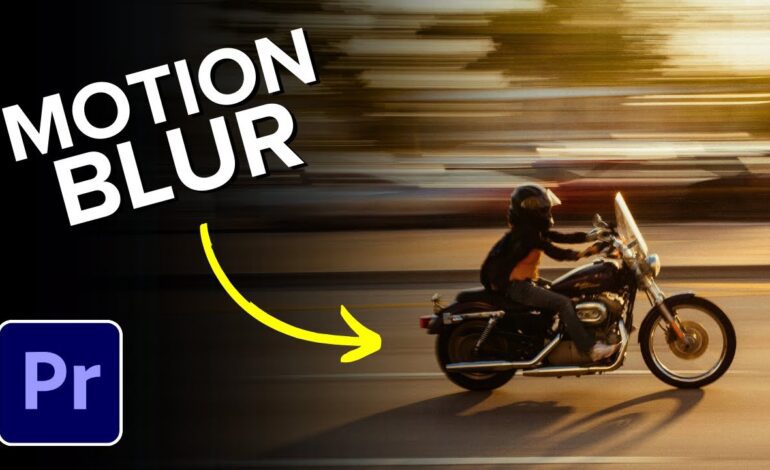
Use Motion Blur
Adding directional blur helps blend distorted frames naturally and reduces harsh visual separation.
Combine Zoom and Distortion
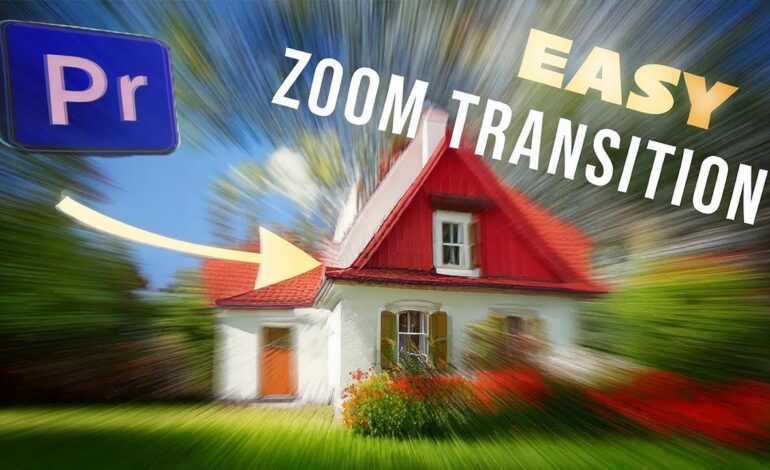
Zoom effects layered with glitches create stronger momentum and make transitions feel more cinematic.
Animate Effects Gradually
Instead of sudden full-screen distortion, animate the intensity over several frames for a more refined result.
These small details separate professional editing from beginner-level effects.
Best Software for Creating Advanced Glitch Effects
Several editing applications now include built-in tools specifically designed for distortion workflows.
Adobe After Effects
Widely used for advanced motion graphics and custom glitch animation. Editors can combine displacement maps, RGB separation, and particle systems for cinematic results.
DaVinci Resolve
Popular among filmmakers for color grading and professional transitions. Fusion tools allow highly detailed effect creation.
Adobe Premiere Pro
Ideal for fast workflow editing with plugins and adjustment layers for quick glitch implementation.
CapCut and Mobile Editors
Short-form creators increasingly use mobile applications for fast social media production. Many now include AI-assisted distortion presets and animated transitions.
Choosing the right software depends on project complexity and workflow preferences.
Optimizing Glitch Content for Social Media Performance
In 2026, algorithm-driven platforms reward content that captures attention immediately. Glitch effects help create visually stimulating openings that improve retention rates.
To optimize performance:
- Start with motion in the first three seconds
- Use quick cuts early in the video
- Combine captions with distortion effects
- Add energetic audio cues
- Maintain vertical-safe compositions for mobile viewing
Short-form platforms favor edits that feel dynamic without becoming visually confusing.
Creators who balance clarity with intensity tend to perform best on Google Discover, YouTube Shorts, Instagram Reels, and TikTok.
Common Mistakes That Reduce Editing Quality
Many editors apply glitch effects without considering pacing or storytelling.
Avoid these issues:
- Excessive screen distortion
- Unreadable text animations
- Overly bright flashing effects
- Poor sound synchronization
- Random transitions with no rhythm
- Low-resolution overlays
Modern audiences appreciate polished editing that enhances content rather than distracting from it.
Professional glitch design should feel intentional, cinematic, and emotionally connected to the footage.
The Future of Glitch Editing in Digital Storytelling
As AI-assisted editing tools continue evolving, glitch effects are becoming more customizable and responsive to music, motion, and scene detection.
Future workflows will likely include real-time distortion generation, automated beat synchronization, and interactive visual manipulation powered by machine learning.
However, creativity will remain the defining factor. Software can generate effects automatically, but strong storytelling, timing, and artistic direction still determine whether content feels memorable.
Editors who learn how to combine technical precision with emotional pacing will continue producing standout visuals in the rapidly evolving digital landscape.
Final Thoughts
Glitch effects are no longer just trendy distortions used for flashy edits. They have become a sophisticated visual language for modern storytelling, branding, and audience engagement.
When applied thoughtfully, glitches can transform ordinary footage into immersive cinematic experiences that feel energetic, futuristic, and professionally crafted. The most effective editors focus on timing, sound design, pacing, and visual consistency rather than overwhelming viewers with nonstop effects.
As video content continues becoming more competitive in 2026, mastering modern glitch techniques can help creators build stronger visual identities and produce content that stands out across every major platform.