
Video editing has evolved dramatically in recent years, and creators are constantly searching for new ways to make their content visually engaging. Among the most powerful tools available in modern editing software, masking stands out as one of the most versatile techniques for achieving cinematic and professional-looking results.
Whether you create YouTube videos, short films, commercials, or social media content, learning how to use masks creatively can completely change the way your audience experiences your visuals. From isolating subjects to designing seamless transitions, masking opens the door to endless possibilities.
Why Masking Matters in Modern Video Editing
Masks allow editors to control which parts of a clip are visible, hidden, enhanced, or affected by an adjustment layer. Instead of applying effects to an entire frame, you can target specific areas with precision.
This level of control helps editors:
- Highlight important subjects
- Create dramatic reveals
- Blend multiple shots naturally
- Add selective color grading
- Produce cinematic transitions
- Remove distractions from scenes
As content competition grows in 2026, creators who master advanced editing techniques like masking gain a significant visual advantage on platforms such as YouTube, Instagram Reels, and TikTok.
Understanding the Basics of Masks
A mask is essentially a selected area within your video frame. Anything inside or outside that area can be modified independently depending on your settings.
Most editing software offers several mask shapes, including:
- Circle masks
- Rectangle masks
- Freeform pen tool masks
Popular editing platforms such as Adobe Premiere Pro, DaVinci Resolve, and Final Cut Pro all include advanced masking features with motion tracking capabilities.
The real creative power comes from combining masks with animation, blur, color grading, and movement.
Create Cinematic Subject Isolation
One of the most popular masking techniques involves isolating a subject while modifying the background.
For example, you can:
- Blur the environment behind a person
- Darken surroundings for dramatic focus
- Add glow effects to selected objects
- Enhance color on only one element in the frame
This technique works exceptionally well for storytelling because it naturally directs viewer attention toward the most important visual element.
Creators often use subject isolation in interviews, music videos, and travel content to produce a polished cinematic look without expensive camera equipment.
Use Masks for Seamless Transitions
Creative transitions are essential for keeping viewers engaged, especially in short-form content.
Masking allows you to create transitions that feel fluid and dynamic rather than relying on standard preset effects.
Popular Mask Transition Ideas
Object Wipe Transition
Use a moving object like a person, car, or wall to hide a cut between two clips.
Foreground Reveal
Place text or footage behind a foreground object for a layered cinematic effect.
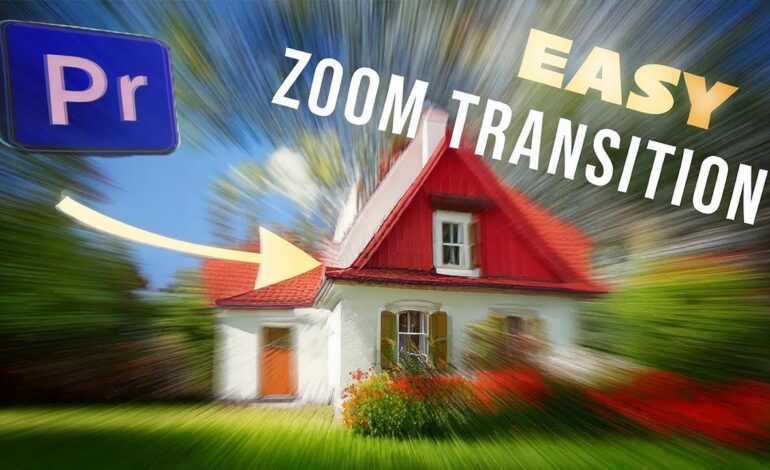
Zoom Mask Transition
Combine scale animation with feathered masks for smooth zoom-ins and dramatic scene changes.
Split-Screen Motion Effect
Animate masks across the frame to reveal multiple clips simultaneously.
These techniques are commonly seen in modern commercial advertisements and viral social media edits because they create a premium visual experience.
Add Selective Color Effects
Selective color grading is another powerful use of masks.
Instead of applying a LUT or color effect to the entire frame, masking lets you target only specific regions.
Examples include:
- Enhancing sunset colors
- Brightening eyes in portrait shots
- Isolating neon signs in urban footage
- Making one object stand out in black-and-white scenes
This method adds emotional depth and visual contrast while maintaining natural image quality.
Many creators now combine masking with HDR color workflows to produce eye-catching visuals optimized for high-resolution mobile displays.
Animate Masks for Dynamic Motion
Static masks are useful, but animated masks take creativity to another level.
Mask animation allows effects to move alongside subjects or objects throughout a scene.
This is especially effective for:
- Tracking faces
- Following moving vehicles
- Creating energy effects
- Simulating spotlight lighting
- Designing animated intros
Modern AI-assisted tracking tools in editing software have made mask animation faster and more accurate than ever before.
Even beginner editors can now achieve Hollywood-style motion effects with minimal manual adjustments.
Use Feathering for Natural Blending
One of the biggest mistakes beginners make is using masks with hard edges.
Without feathering, effects often look artificial and distracting.
Feathering softens mask edges so adjustments blend naturally into surrounding areas. This creates a more cinematic appearance and prevents viewers from noticing the effect itself.
Professional editors usually combine:
- Feathering
- Opacity adjustments
- Motion blur
- Soft gradients
These refinements make transitions and visual effects feel organic instead of overly edited.
Combine Multiple Masks for Advanced Effects
Layering masks unlocks even more creative possibilities.
Instead of using a single mask, editors can stack multiple masks together to create complex visual compositions.
Examples include:
- Multi-layer parallax effects
- Clone duplication visuals
- Cinematic title reveals
- Dream sequences
- Double exposure effects
This approach is widely used in music videos and cinematic trailers where visual storytelling plays a major role.
As editing software continues integrating AI-powered compositing tools, multi-mask workflows are becoming increasingly accessible to independent creators.
Optimize Masking for Social Media Content
In 2026, content optimized for mobile viewing dominates online engagement.
Masking can help your videos stand out in crowded feeds by creating visually striking motion and composition.
For short-form platforms, focus on:
- Fast-moving transitions
- High-contrast visual reveals
- Vertical-frame compositions
- Bold subject separation
- Eye-catching motion effects
Retention rates improve significantly when viewers encounter unexpected visual movement within the first few seconds of a video.
Creative masking helps achieve that instantly.
Common Mistakes to Avoid
Even experienced editors can misuse masking tools if they overcomplicate effects.
Avoid these common issues:
- Excessive feathering that causes blurry edges
- Poor tracking on moving subjects
- Overuse of transitions
- Unnatural lighting mismatches
- Distracting animated effects
The best masking effects often feel invisible because they blend naturally into the scene.
Subtlety usually creates a more professional final result.
Final Thoughts
Masking is no longer just an advanced editing feature reserved for professionals. In today’s creator economy, it has become an essential storytelling tool for anyone serious about producing high-quality video content.
From cinematic reveals to dynamic transitions and selective color grading, masks give creators complete control over visual focus and artistic style.
As editing software continues evolving with smarter AI tools and real-time rendering, mastering masking techniques will remain one of the most valuable skills for modern video editors.
If you want your videos to feel more immersive, polished, and visually memorable, creative masking is one of the best techniques you can start using today.