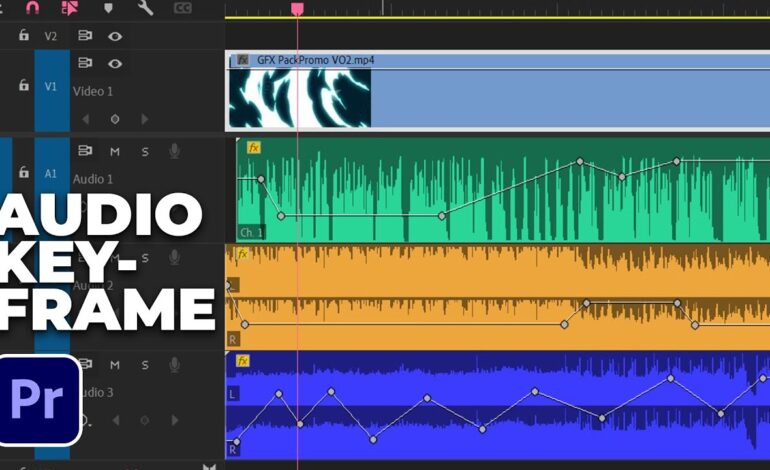
High-quality visuals often receive most of the attention during video production, but audio plays an equally important role in creating a professional viewing experience. Even the most stunning footage can feel unpolished if the sound lacks clarity, depth, or consistency.
Two fundamental concepts that directly affect audio quality are sample rates and bit depth. While these technical terms may seem complicated at first, understanding them can help creators make better recording decisions, improve post-production workflows, and deliver more professional content.
Whether you’re producing YouTube videos, documentaries, podcasts, online courses, or commercial projects, knowing how digital audio works is essential for achieving clean and reliable sound.
Why Digital Audio Needs Sampling
Sound exists as a continuous analog waveform in the real world. Computers, cameras, and recording devices cannot store analog information directly, so they convert these sound waves into digital data.
This conversion process involves taking thousands of measurements of the sound every second. These measurements are called samples, and the frequency at which they are captured is known as the sample rate.
The more frequently a recording system captures these samples, the more accurately it can reproduce the original sound.
Think of it like taking photographs of a moving object. More photos create a smoother representation of movement. Similarly, more audio samples create a more accurate representation of sound.
What Is a Sample Rate?
Sample rate refers to the number of times audio is measured each second during recording.
It is expressed in Hertz (Hz) or kilohertz (kHz).
Common sample rates include:
- 1 kHz
- 48 kHz
- 2 kHz
- 96 kHz
- 192 kHz
For example, a sample rate of 48 kHz means the recorder captures 48,000 audio samples every second.
Why 48 kHz Is the Video Industry Standard
Most professional video projects use 48 kHz because it provides excellent audio quality while maintaining compatibility with editing software, cameras, and broadcast systems.
The 48 kHz standard is commonly used for:
- YouTube videos
- Television broadcasts
- Streaming platforms
- Corporate videos
- Films
- Online education content
Recording audio at 48 kHz helps prevent synchronization issues and ensures smooth integration with video editing workflows.
How Higher Sample Rates Affect Sound
Many creators assume that increasing sample rates automatically improves audio quality. While higher settings can capture more detail, the benefits are often less noticeable than expected.
Higher sample rates can provide advantages such as:
- Greater frequency capture
- Improved audio processing flexibility
- Better results for sound design work
- Reduced artifacts during extreme editing
However, they also create:
- Larger file sizes
- Increased storage requirements
- Greater processing demands
- Longer export times
For most video productions, 48 kHz remains the ideal balance between quality and efficiency.
Understanding Bit Depth
While sample rate determines how often sound is measured, bit depth determines how much information is stored for each sample.
Bit depth affects the dynamic range of a recording, which is the difference between the quietest and loudest sounds that can be captured without distortion or excessive noise.
Common bit depths include:
- 16-bit
- 24-bit
- 32-bit float
The higher the bit depth, the more detailed the audio information becomes.
Why Bit Depth Matters in Video Production
Imagine recording an interview where one speaker talks softly while another speaks much louder.
A higher bit depth provides greater flexibility when handling these volume differences. It allows editors to adjust levels during post-production while preserving sound quality.
Benefits of higher bit depth include:
- Lower noise floors
- Greater recording headroom
- Cleaner audio adjustments
- Reduced risk of clipping
- Improved post-production flexibility
This is especially valuable when recording dialogue, ambient sounds, voiceovers, and live events.
Comparing 16-Bit and 24-Bit Audio
16-Bit Audio
For many years, 16-bit recording served as the standard for CDs and consumer audio formats.
Advantages include:
- Smaller file sizes
- Broad compatibility
- Efficient storage usage
Limitations include:
- Less dynamic range
- Lower flexibility during editing
- Greater sensitivity to recording level errors
24-Bit Audio
Modern video production typically relies on 24-bit recording.
Advantages include:
- Higher dynamic range
- Better noise performance
- More forgiving recording levels
- Greater editing flexibility
For creators producing professional video content, 24-bit audio is generally the preferred option.
What About 32-Bit Float Recording?
Newer audio recorders have introduced 32-bit float technology, which has become increasingly popular among content creators and filmmakers.
This format offers an extremely large dynamic range, making it possible to recover audio that might otherwise be distorted or too quiet.
Benefits include:
- Exceptional headroom
- Reduced clipping risk
- Easier gain management
- Improved reliability during unpredictable recordings
Although 32-bit float can be extremely useful, it also generates larger files and may not be necessary for every project.
Recommended Audio Settings for Different Projects
Choosing the right settings depends on your production goals.
YouTube Videos
- Sample Rate: 48 kHz
- Bit Depth: 24-bit
Interviews and Podcasts
- Sample Rate: 48 kHz
- Bit Depth: 24-bit
Documentary Production
- Sample Rate: 48 kHz
- Bit Depth: 24-bit or 32-bit float
Film and Commercial Work
- Sample Rate: 48 kHz
- Bit Depth: 24-bit or higher
Advanced Sound Design
- Sample Rate: 96 kHz
- Bit Depth: 24-bit
These settings provide an excellent balance between quality, compatibility, and storage efficiency.
Common Recording Mistakes to Avoid
Many audio problems occur because of incorrect recording settings rather than poor equipment.
Avoid these common mistakes:
- Mixing 44.1 kHz and 48 kHz files in the same project
- Recording important dialogue at low bit depths
- Assuming higher settings always produce noticeable improvements
- Ignoring proper gain staging
- Prioritizing file size over recording quality
Establishing consistent recording standards can save significant time during editing.
The Bottom Line
Sample rates and bit depth form the foundation of digital audio quality. Sample rates determine how frequently sound is captured, while bit depth determines how much detail is stored within each captured sample.
For most video creators in 2026, recording at 48 kHz and 24-bit provides the best combination of professional quality, workflow efficiency, and compatibility. Understanding these settings allows you to make informed production decisions and create audio that complements your visuals rather than limiting them.
Strong audio can elevate every aspect of a video project, and mastering these core concepts is one of the most effective ways to improve the overall viewing experience.