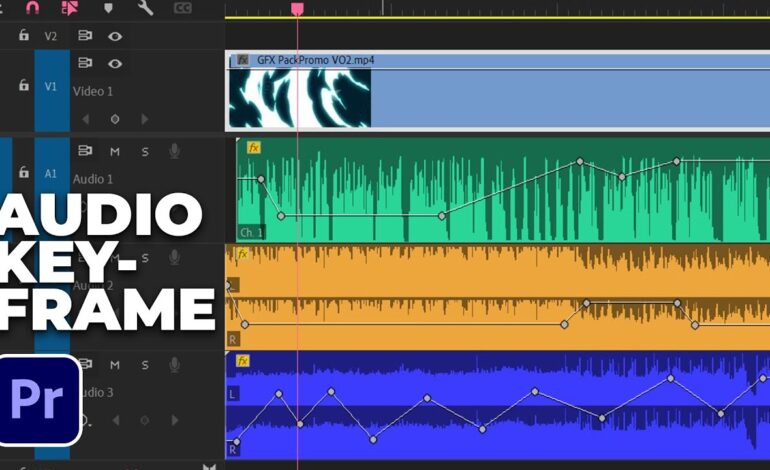
Audio quality often determines whether a video feels professional or amateur. While creators typically focus on visual cuts, transitions, and effects, audio continuity plays an equally important role in maintaining viewer engagement. Abrupt sound changes between clips can distract audiences, reduce immersion, and make even well-produced content feel unpolished.
Smooth audio transitions help connect scenes naturally, allowing viewers to stay focused on the story rather than noticing technical imperfections. Whether you’re editing YouTube videos, documentaries, podcasts, interviews, corporate presentations, or cinematic productions, mastering audio transitions is a valuable skill that significantly improves overall production quality.
In this guide, you’ll learn practical methods for creating seamless sound transitions that enhance professionalism and improve the viewing experience.
Why Audio Continuity Matters More Than Most Creators Realize
Human hearing is highly sensitive to sudden changes in volume, tone, and background noise. A visual cut may go unnoticed, but an audio jump can instantly grab attention for the wrong reasons.
When transitions are handled properly, audiences experience:
- Better immersion
- Increased watch time
- Enhanced storytelling flow
- More professional production value
- Improved emotional impact
Smooth sound movement helps maintain consistency and prevents viewers from being pulled out of the content by distracting audio shifts.
Understanding Common Audio Transition Problems
Before learning solutions, it helps to recognize frequent issues that occur during editing.
Sudden Volume Changes
One clip may be recorded louder than the next, creating an uncomfortable listening experience. These jumps often occur when footage is captured on different days or with different microphones.
Background Noise Differences
Environmental sounds frequently change between recordings. One segment might contain air conditioning noise while another is completely silent, causing noticeable inconsistencies.
Music Track Interruptions
Improperly edited music can create awkward starts and stops that feel unnatural and distracting.
Dialogue Gaps
Conversations sometimes contain abrupt pauses or clipped speech, making transitions sound rough and disconnected.
Identifying these challenges is the first step toward creating seamless audio flow.
Use Crossfades to Eliminate Harsh Audio Cuts
Crossfading remains one of the most effective techniques for blending sound between clips.
A crossfade gradually reduces the volume of one clip while simultaneously increasing the volume of the next. This overlap creates a smooth transition that minimizes abrupt changes.
For dialogue-heavy content, shorter crossfades often work best because they preserve speech clarity. Music, ambient sound, and cinematic sequences can typically accommodate longer fade durations.
Most professional editing software includes built-in audio fade controls that allow precise customization of transition length and curve shape.
Match Ambient Sound for Natural Scene Changes
Room tone and environmental ambience are essential elements of smooth audio editing.
Even seemingly silent locations contain subtle background sounds such as:
- Air conditioning hum
- Wind movement
- Traffic noise
- Crowd ambience
- Nature sounds
When transitioning between clips, matching these background elements helps maintain continuity.
Many professional editors record several seconds of room tone during production specifically for this purpose. These ambient recordings can later be layered beneath cuts to mask audio inconsistencies and create smoother scene changes.
Balance Audio Levels Before Transitioning
No transition effect can completely hide dramatic volume differences.
Before applying fades or blending techniques, normalize clip levels to achieve consistent loudness throughout the project.
Pay attention to:
- Dialogue volume
- Music intensity
- Ambient sound levels
- Sound effects
- Overall loudness consistency
Balanced audio creates a foundation that makes transitions significantly more effective.
Blend Music Tracks Without Noticeable Interruptions
Music often serves as the emotional backbone of a video, making smooth transitions especially important.
Rather than ending one track abruptly and starting another immediately, use overlapping fades that gradually shift between songs or sections.
Editors commonly achieve this by:
- Extending music beneath scene changes
- Applying gradual fade-ins and fade-outs
- Matching musical tempo when switching tracks
- Timing transitions with natural beats
These methods create a polished listening experience that supports visual storytelling.
Leverage Sound Effects to Connect Scenes
Strategic sound design can make transitions feel intentional rather than technical.
Common examples include:
- Whooshes
- Risers
- Atmospheric effects
- Impact sounds
- Natural environmental audio
These elements help bridge scene changes and provide auditory cues that guide viewers through the narrative.
When used subtly, transition sounds enhance flow without drawing attention to themselves.
Employ J-Cuts and L-Cuts for Cinematic Results
Professional filmmakers frequently rely on J-cuts and L-cuts to create fluid scene transitions.
J-Cuts
A J-cut introduces audio from the next scene before the visual cut occurs. Viewers hear the upcoming scene first, preparing them for the transition.
L-Cuts
An L-cut allows audio from the current scene to continue briefly after the visual has changed. This creates continuity and smoothens pacing.
These techniques are widely used in documentaries, interviews, films, and online content because they make transitions feel more natural and engaging.
Remove Unwanted Audio Artifacts
Clicks, pops, breaths, and microphone handling noises can become highly noticeable during transitions.
Modern editing software provides restoration tools that help eliminate unwanted artifacts before applying fades or blends.
Cleaning audio beforehand ensures transitions remain smooth and distraction-free.
Key cleanup tasks include:
- Noise reduction
- De-clicking
- De-humming
- Breath control
- Silence repair
The cleaner the source audio, the more seamless the final transition will sound.
Test Transitions Using Different Playback Devices
Audio can behave differently depending on where it is played.
A transition that sounds smooth through studio headphones may reveal problems on smartphone speakers or laptop audio systems.
Always review projects using multiple devices, including:
- Headphones
- Desktop speakers
- Mobile phones
- Tablets
- Television speakers
This process helps identify inconsistencies and ensures a better experience for all viewers.
Final Thoughts
Creating smooth audio transitions between clips is one of the most effective ways to elevate video quality. While audiences may not consciously notice excellent transitions, they immediately recognize poor ones. By combining crossfades, ambient sound matching, level balancing, music blending, sound design, and cinematic editing techniques, creators can produce content that feels polished and professional.
As video production standards continue to rise in 2026, audio quality remains a critical factor in audience retention and engagement. Investing time in mastering seamless transitions will improve storytelling, strengthen viewer immersion, and help your content stand out in an increasingly competitive digital landscape.