A great soundtrack can transform an ordinary video into an engaging viewing experience. Music helps create emotion, establish pacing, and maintain audience attention. However, one of the most common mistakes creators make is allowing background music to compete with spoken words.
When viewers struggle to hear narration, interviews, or conversations, they quickly lose interest. Effective audio production requires a balance where music supports the message rather than distracting from it. Whether you’re creating YouTube videos, podcasts, documentaries, tutorials, or marketing content, understanding how to blend music with speech is an essential skill.
This guide explains practical techniques that help you achieve professional audio balance while keeping every word crystal clear.
Why Dialogue Should Always Take Priority
In most video content, spoken communication carries the core information. Audiences may appreciate a powerful soundtrack, but they primarily watch to understand the message being delivered.
When music becomes too loud, several issues arise:
- Important information gets lost.
- Viewer retention decreases.
- Accessibility suffers.
- Professional quality declines.
- Audience frustration increases.
The best audio mixes allow viewers to focus on the speaker while still benefiting from the emotional impact of music underneath.
Start With Clean Voice Recordings
Before adjusting music levels, ensure your dialogue track is as clear as possible.
High-quality recordings require:
- Minimal background noise
- Consistent speaking volume
- Proper microphone placement
- Reduced room echo
- Clean audio editing
If the dialogue already sounds weak or noisy, lowering music alone will not solve the problem. Improving speech clarity creates a stronger foundation for the entire mix.
Many professional editors spend more time perfecting voice tracks than selecting music because dialogue quality directly affects audience engagement.
Choose Music That Complements Speech
Not every song works well beneath spoken content.
Tracks featuring aggressive vocals, complex melodies, or heavy instrumentation often compete with dialogue frequencies. Instead, look for music that supports rather than dominates.
Effective background tracks usually include:
- Instrumental arrangements
- Soft percussion
- Minimal vocal elements
- Consistent rhythms
- Moderate energy levels
Music should reinforce the mood without demanding attention. Viewers should feel the emotional atmosphere even when they are not consciously noticing the soundtrack.
Set Proper Volume Levels
Volume balancing is one of the most important aspects of audio mixing.
Although exact settings vary depending on content, many editors begin by establishing a comfortable dialogue level and then lowering music significantly beneath it.
A common approach includes:
- Dialogue as the primary audio source
- Music reduced enough to remain supportive
- Sound effects placed between speech and music levels
During conversations or narration-heavy segments, background music should remain subtle. If listeners notice lyrics or instrumental details more than the speaker’s words, the music is likely too loud.
Always trust your ears rather than relying solely on volume meters.
Use Audio Ducking for Better Clarity
One of the most effective professional techniques is audio ducking.
Audio ducking automatically lowers music volume whenever someone speaks and raises it again during pauses. This creates a dynamic balance without requiring constant manual adjustments.
Benefits include:
- Improved speech intelligibility
- More consistent listening experience
- Professional sound quality
- Reduced editing time
Most modern editing applications include built-in ducking features that can analyze speech tracks and automatically adjust background music levels.
This technique is widely used in television, documentaries, podcasts, and online video production.
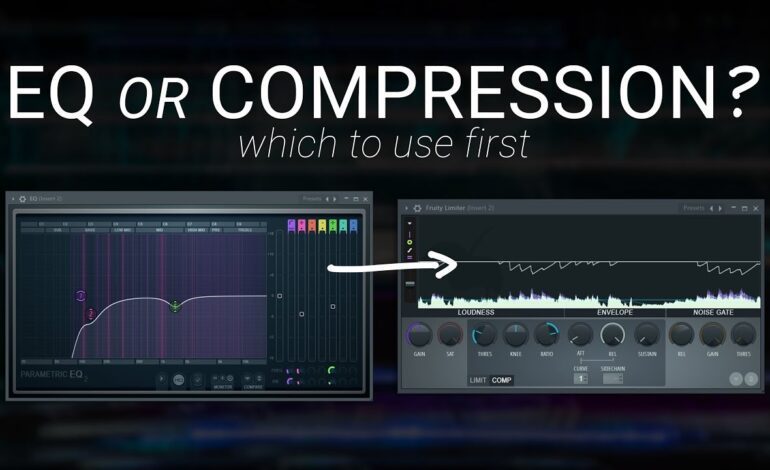
Apply Equalization to Create Space
Sometimes music and dialogue compete because they occupy similar frequency ranges.
Equalization (EQ) helps separate them.
Human speech generally sits within key midrange frequencies. Slightly reducing those frequencies in the music track can create additional room for dialogue without lowering overall music volume.
Common EQ adjustments include:
- Cutting competing mid frequencies
- Removing unnecessary low-end rumble
- Softening harsh high frequencies
- Enhancing speech presence
Small EQ changes often make a dramatic difference in perceived clarity.
Automate Volume Changes Throughout the Timeline
A single volume setting rarely works for an entire project.
Different scenes require different audio treatments. Emotional moments may benefit from stronger music, while instructional segments often require more subtle soundtracks.
Volume automation allows editors to:
- Raise music during transitions
- Lower music during explanations
- Emphasize dramatic moments
- Smooth level changes naturally
Instead of keeping music static, create gradual adjustments that follow the content’s flow.
Professional mixes feel natural because audio levels evolve throughout the video.
Monitor With Different Devices
A mix that sounds perfect on studio headphones may not perform well on mobile devices.
Always test audio using multiple playback systems:
- Smartphone speakers
- Wired headphones
- Wireless earbuds
- Laptop speakers
- Desktop monitors
- Television speakers
This process reveals problems that may not be obvious during editing.
If dialogue remains clear across all devices, your mix is likely well-balanced.
Avoid Common Background Music Mistakes
Even experienced creators occasionally make mixing errors.
Watch out for these common issues:
Music Starts Too Loud
Opening music often grabs attention, but excessive volume can overwhelm viewers immediately.
Ignoring Voice Consistency
Uneven dialogue levels make balancing difficult throughout the project.
Using Songs With Prominent Vocals
Lyrics frequently compete with narration and reduce comprehension.
Abrupt Audio Changes
Sudden volume shifts can feel distracting and unprofessional.
Overprocessing the Soundtrack
Excessive effects, compression, or EQ can create unnatural results.
Avoiding these mistakes instantly improves production quality.
Create an Engaging Listening Experience
Successful audio mixing is not about making music disappear. Instead, it involves creating harmony between all elements.
Well-balanced background music can:
- Strengthen emotional impact
- Improve pacing
- Increase viewer retention
- Enhance storytelling
- Elevate production value
When done correctly, audiences remain focused on the message while still benefiting from the atmosphere music provides.
Final Thoughts
Learning how to add and mix background music without overpowering dialogue is one of the most valuable skills in video production. Strong voice recordings, thoughtful music selection, audio ducking, equalization, and volume automation all contribute to a polished final product.
The goal is simple: viewers should effortlessly understand every spoken word while still experiencing the emotional depth that music brings. By prioritizing dialogue and using professional mixing techniques, you can create videos that sound polished, engaging, and enjoyable across every platform.