Modern video editing is no longer just about cutting clips together. Audiences in 2026 expect smooth movement, cinematic pacing, and visually engaging transitions that keep attention locked on the screen. One editing technique that continues to dominate social media, commercials, travel films, gaming montages, and YouTube productions is speed ramping.
When used correctly, speed ramping adds excitement, emotion, and rhythm to footage without making the edit feel forced. It can turn a simple walking shot into a dramatic cinematic moment or make an action sequence feel faster and more intense. However, overusing it or applying it poorly can instantly make a project feel amateurish.
Understanding when and how to use this technique is what separates polished editors from beginners.
What Is Speed Ramping?
Speed ramping is the process of changing the playback speed of a clip during specific moments instead of keeping the speed constant from beginning to end.
Rather than applying a simple slow-motion effect, editors gradually shift between fast and slow speeds within the same shot. This creates a flowing visual effect that feels energetic and cinematic.
For example:
- A skateboard trick begins at normal speed
- The clip suddenly accelerates during the jump
- It smoothly transitions into slow motion during the landing
- The footage returns to regular speed afterward
This variation in timing creates visual impact and emphasizes important moments inside the scene.
Why Content Creators Use Speed Ramping
Short-form content platforms continue rewarding videos that hold viewer attention. Speed ramping naturally helps increase watch time because movement changes create visual stimulation.
Editors commonly use it to:
- Highlight dramatic moments
- Add energy to transitions
- Synchronize visuals with music beats
- Make action scenes feel more immersive
- Improve pacing without extra cuts
- Create cinematic storytelling
Whether you are editing travel videos, sports footage, product commercials, wedding films, or gaming edits, the technique helps footage feel more professional and emotionally engaging.
Best Situations to Apply Speed Ramping
Action Sequences
Fast-moving subjects benefit heavily from controlled speed changes. Sports, dancing, vehicle shots, workout videos, and parkour clips become more intense when motion timing varies naturally.
The effect works especially well during:
- Jumps
- Spins
- Impacts
- Reveals
- Quick camera movements
Music Video Edits
Many creators use speed ramps to match beat drops or rhythm changes in music. The transition between slow and fast movement enhances synchronization and makes edits feel smoother.
This approach is especially popular on:
- TikTok
- Instagram Reels
- YouTube Shorts
- Commercial advertisements
Travel Cinematics
Drone shots and scenic sequences often look more immersive when gradual speed changes guide viewer focus.
For example:
- Speeding through a landscape reveal
- Slowing down near a landmark
- Accelerating into the next scene
This keeps travel footage dynamic instead of repetitive.
Product Commercials
Brands frequently use speed ramps to highlight product details while maintaining fast-paced editing styles.
A smooth slowdown during a product reveal creates emphasis without interrupting the overall momentum of the advertisement.
How to Create Smooth Speed Ramps
Start With High Frame Rate Footage
The best cinematic slow motion comes from footage recorded at higher frame rates like:
- 60fps
- 120fps
- 240fps
Higher frame rates allow editors to slow clips down without causing choppy playback.
If you attempt extreme slow motion using standard 24fps footage, the result may look unnatural or stutter heavily.
Use Keyframes for Natural Transitions
Professional speed ramping relies on keyframes rather than abrupt speed changes.
Instead of instantly jumping from 100% speed to 20% speed, editors gradually curve the transition so the movement feels fluid.
Smooth timing adjustments create:
- Better visual flow
- More cinematic motion
- Cleaner transitions
- Professional pacing
Most modern editing software includes graph editors or time remapping tools for this purpose.
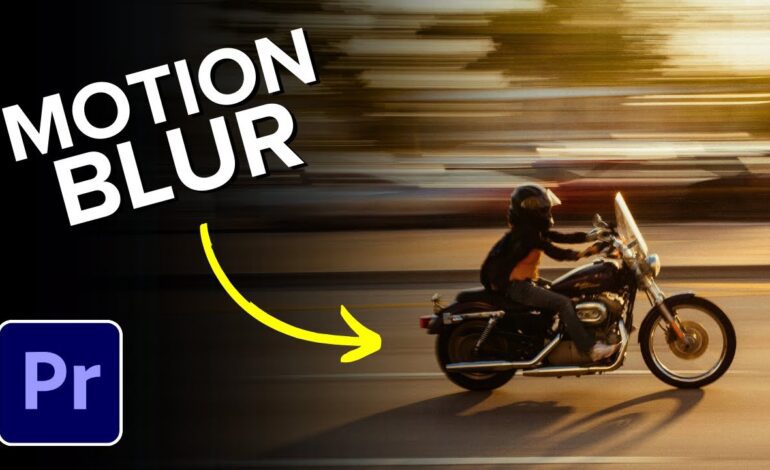
Match Movement With Motion Blur
One major mistake beginners make is ignoring motion blur.
Fast movement without proper blur can appear harsh or unnatural. Motion blur helps the eye process rapid changes more smoothly.
Many editors add:
- Directional blur
- Frame blending
- Optical flow interpolation
These features improve visual consistency during aggressive speed changes.
Common Mistakes That Ruin Speed Ramping
Overusing the Effect
Not every shot needs dramatic timing changes.
Applying speed ramps constantly can overwhelm viewers and reduce the emotional impact of important moments.
Strategic usage always works better than excessive effects.
Ignoring Audio Synchronization
Poorly timed speed adjustments can disconnect visuals from music or sound effects.
Professional editors often place ramps:
- On beat drops
- During sound transitions
- Near impact moments
- Around dramatic pauses
Audio timing plays a major role in making the effect feel intentional.
Creating Abrupt Changes
Harsh speed shifts feel distracting instead of cinematic.
If the ramp feels sudden or jarring, the audience notices the editing rather than the story itself.
Smooth curves almost always produce better results than sharp transitions.
Editing Software That Supports Speed Ramping
Most professional editing programs now include advanced time remapping tools.
Popular options include:
- Adobe Premiere Pro
- DaVinci Resolve
- Final Cut Pro
- CapCut
- After Effects
Each platform offers different tools for:
- Time remapping
- Optical flow
- Motion interpolation
- Keyframe smoothing
Choosing the right software depends on your workflow and editing style.
Advanced Techniques for Modern Editors
Combine Speed Ramps With Camera Movement
The effect becomes far more immersive when paired with:
- Whip pans
- Push-ins
- Drone reveals
- Orbit shots
- Handheld motion
Camera movement creates natural momentum that enhances timing changes.
Blend With Transition Effects
Modern creators frequently combine speed ramps with:
- Zoom transitions
- Blur transitions
- Flash effects
- Directional motion
- Sound design layers
This creates seamless scene changes that feel polished and cinematic.
Use Timing to Build Emotion
Speed manipulation is not only for action scenes.
Slowing footage during emotional reactions or dramatic reveals can increase viewer connection and storytelling impact.
The best editors use pacing intentionally rather than randomly.
Final Thoughts
Speed ramping remains one of the most effective techniques for modern video editing because it improves pacing, emotion, and viewer engagement simultaneously. When used with purpose, it transforms ordinary clips into cinematic experiences that feel professional and visually exciting.
The key is moderation and timing. Smooth transitions, high-frame-rate footage, proper motion blur, and strong music synchronization all contribute to successful results.
As short-form content competition continues growing in 2026, creators who master cinematic pacing techniques like speed ramping will have a stronger advantage across platforms. Instead of simply adding flashy effects, focus on enhancing storytelling and guiding audience attention naturally.
That balance is what makes speed ramping truly powerful for modern visual content